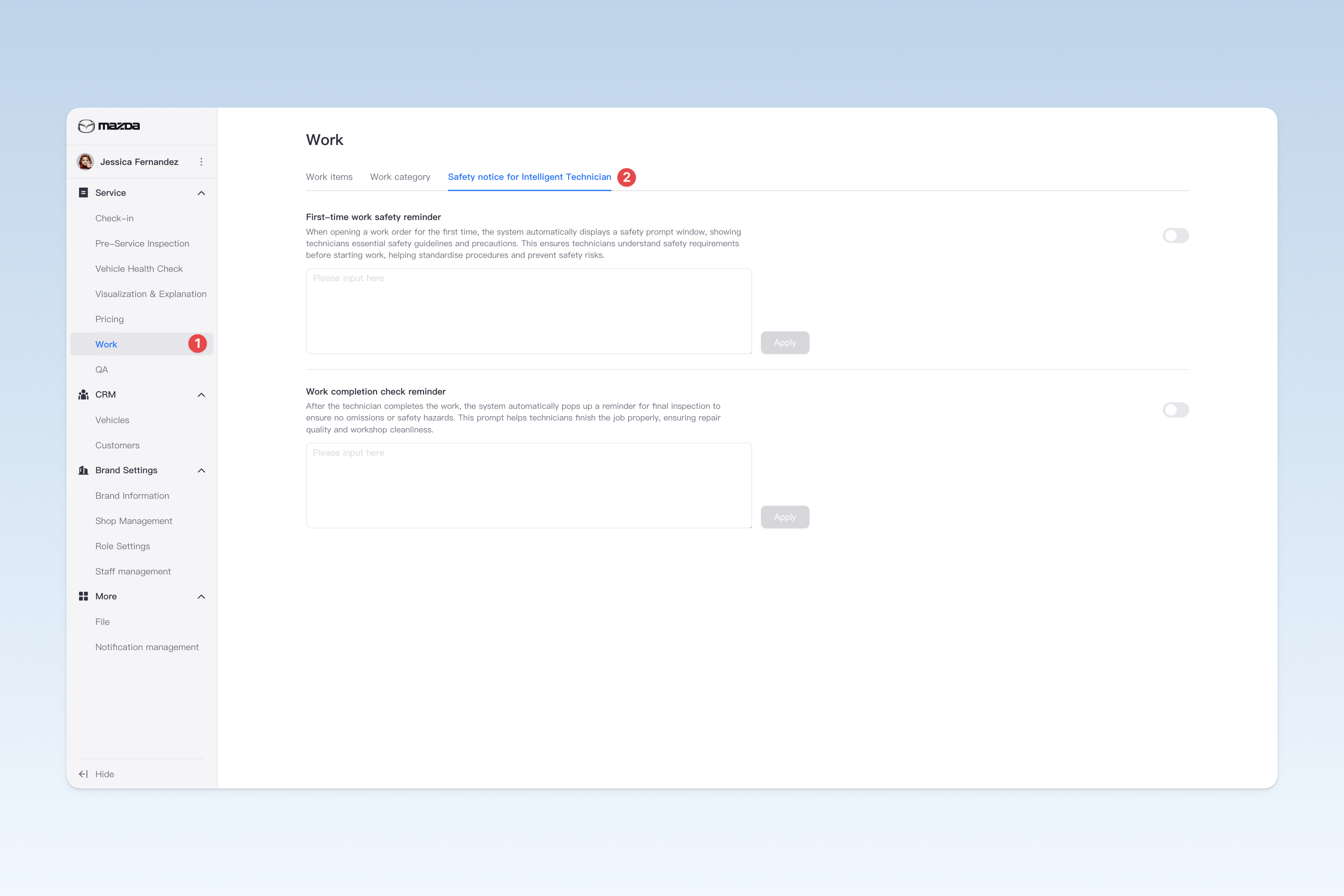
◎ Safety Notice for Intelligent Technician
This page can be used to set the reminder content for technicians during work in the APP, to alert them to relevant matters at specific steps. These settings usually serve to standardize processes and are therefore mandatory. Non-brand administrators have no rights to change them.
📍 You can configure related content in: AutoX3 Brand Management Dashboard > Service > Work > Safety Notice for Intelligent Technician.
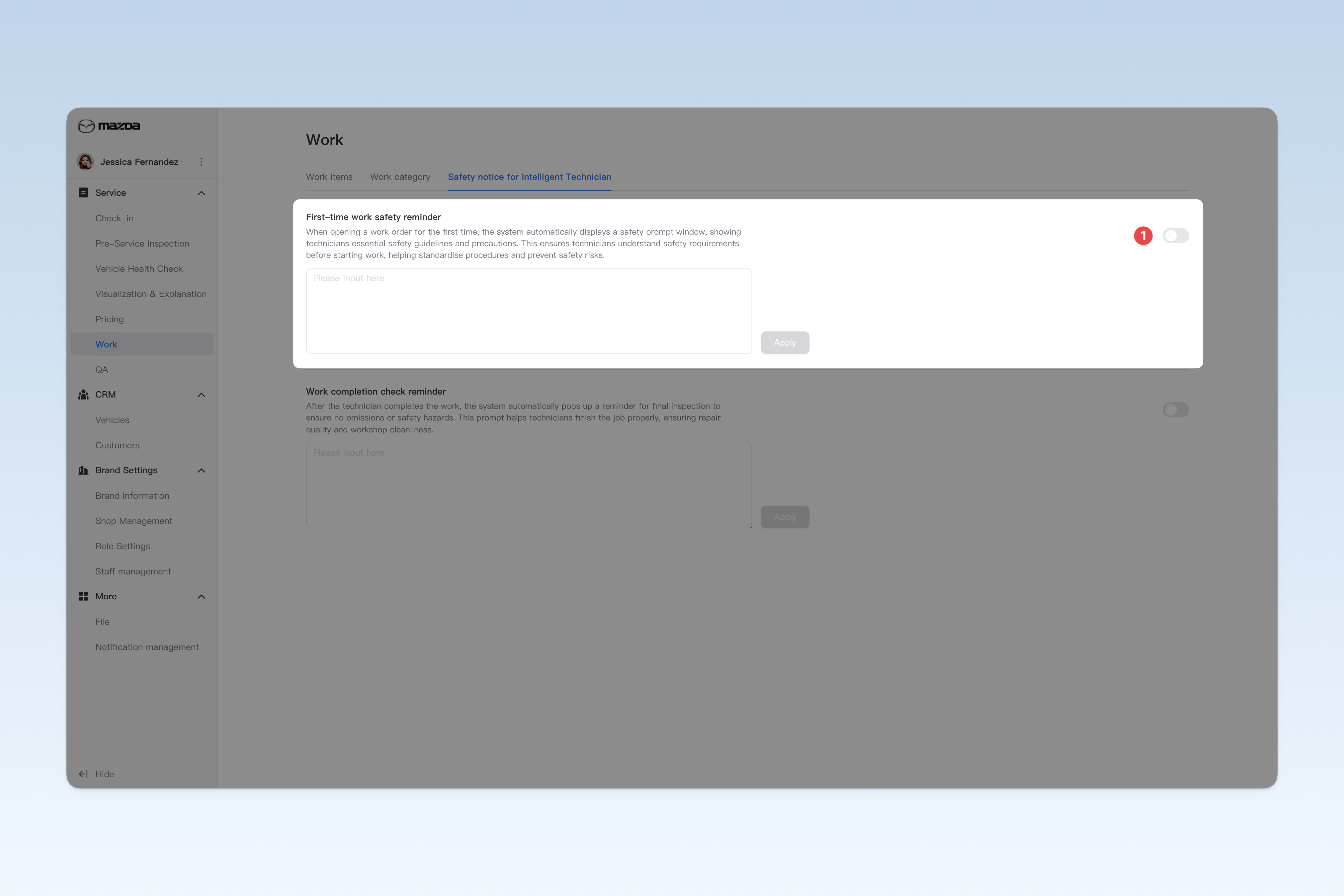
First-time Work Safety Reminder
When opening a work order for the first time, the system automatically displays a safety prompt window, showing technicians essential safety guidelines and precautions. This ensures technicians understand safety requirements before starting work, helping standardize procedures and prevent safety risks.
This feature is disabled by default (no related reminders). If your group's workflow requires it, you can click the [On/Off] button on the right of the title and enter the safety notice content for staff to enable it.
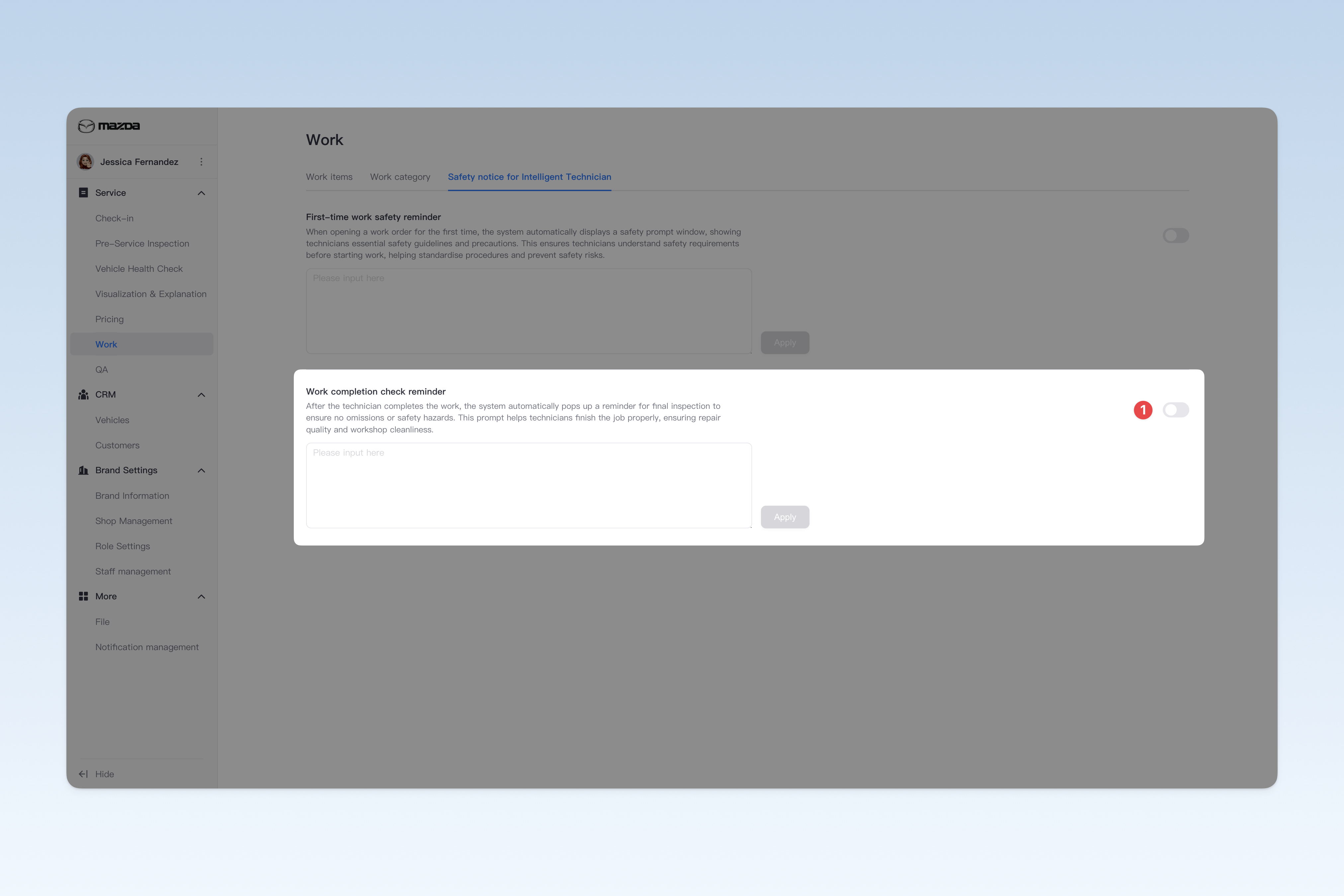
Work Completion Check Reminder
After the technician completes the work, the system automatically pops up a reminder for final inspection to ensure no omissions or safety hazards. This prompt helps technicians finish the job properly, ensuring repair quality and workshop cleanliness.
This feature is disabled by default (no related reminders). If your group's workflow requires it, you can click the [On/Off] button on the right of the title and enter the reminder content for staff to enable it.