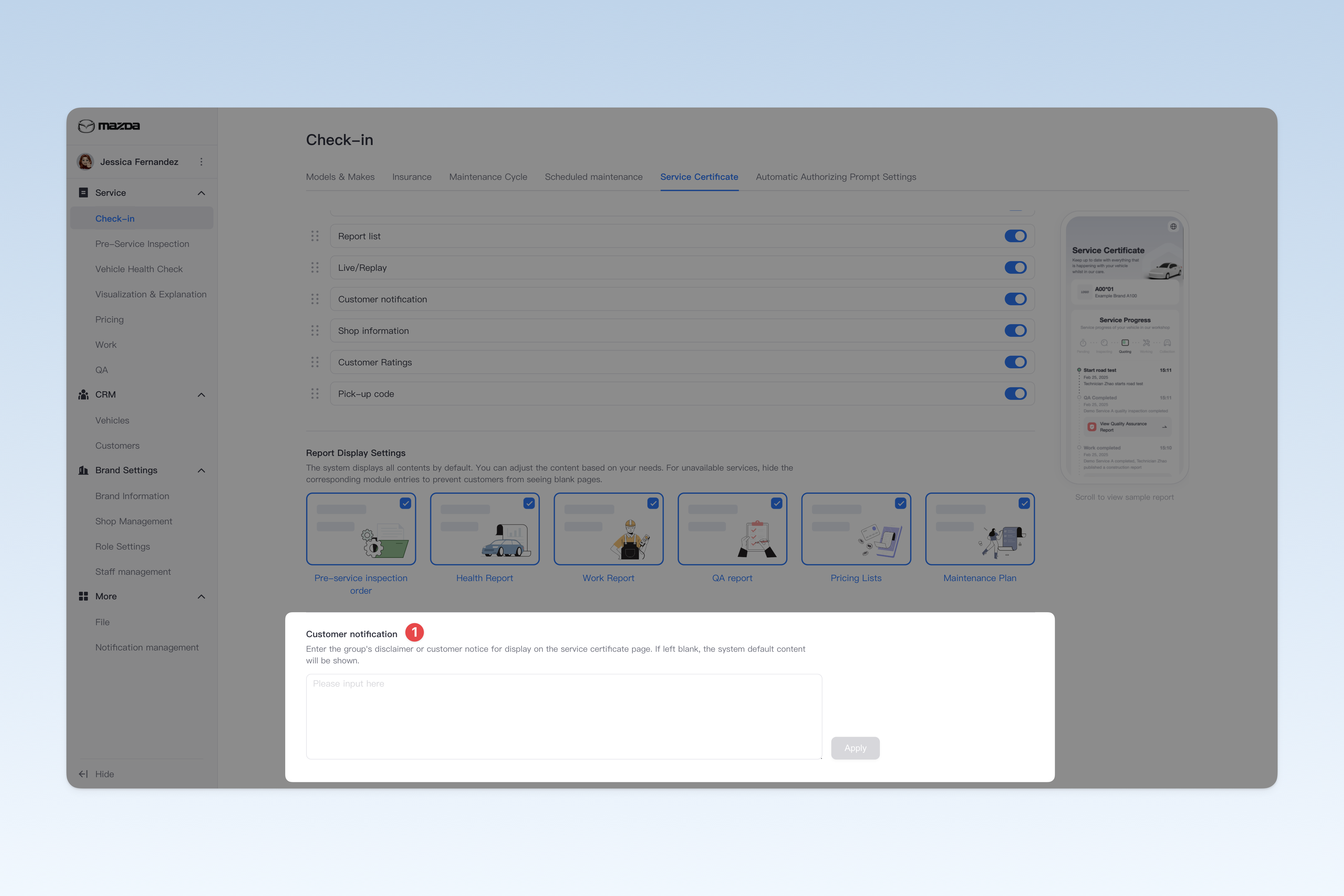
◎ Service Certificate Settings
The service certificate allows car owners to easily view all vehicle-related information and services on a single page. By integrating pre-service inspection reports, health check reports, pricing lists, work reports, QA reports, and maintenance plans, owners can quickly find and view various vehicle service reports. Moreover, during their shop visit, owners can track the vehicle service progress in real-time to ensure information transparency and smooth communication. After vehicle delivery, owners can also rate the service to help shops continuously optimize service quality.
This page allows for some preference settings for the service certificate. These settings usually serve to standardize processes and are therefore mandatory. Non-brand administrators do not have permission to change them.
📍 You can configure related content in: AutoX3 Brand Management Dashboard > Service Management > Check-in Vehicle > Service Certificate.
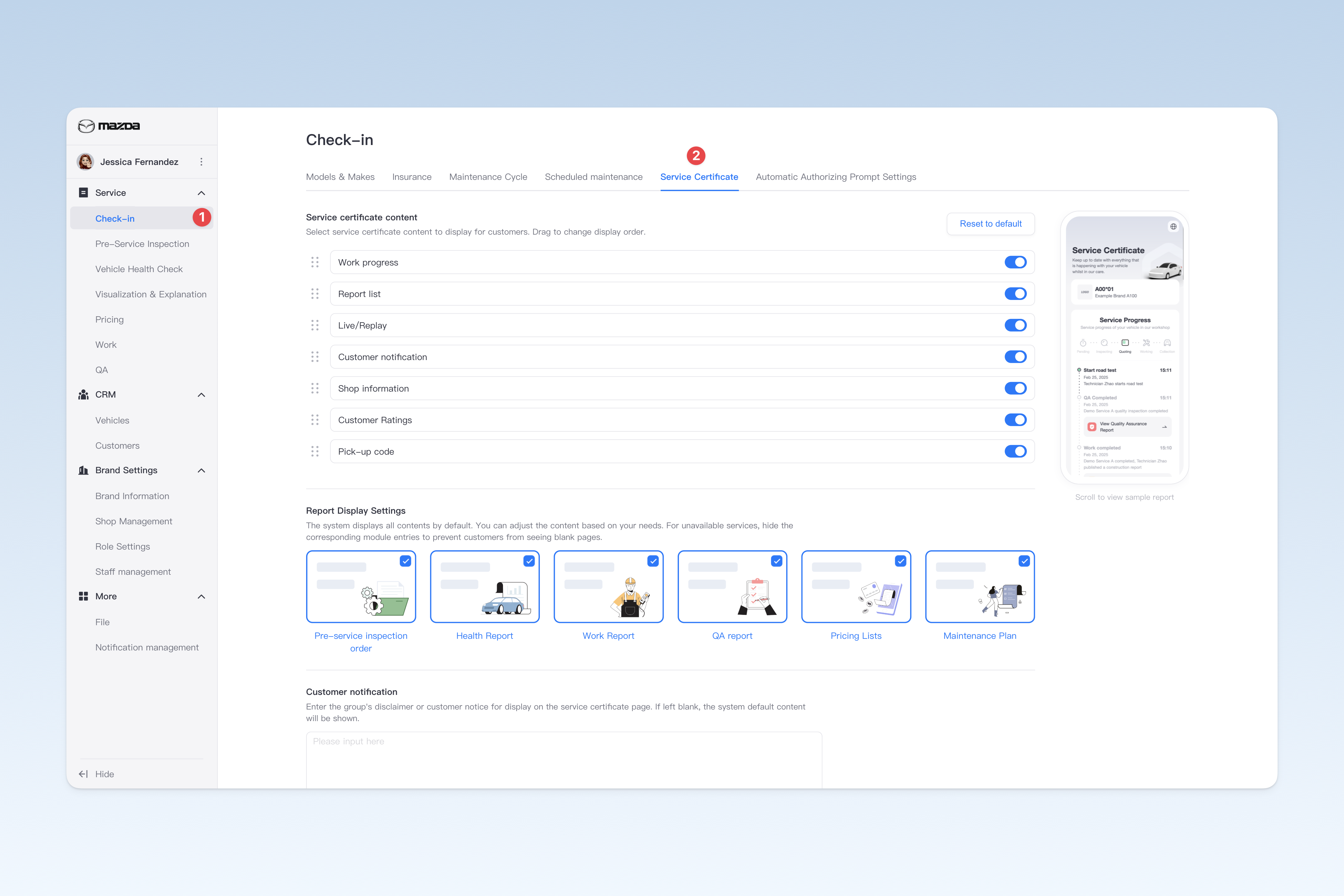
Service Certificate Content Settings
Currently, the service certificate supports enabling/disabling and sorting the following 8 items: You can select the required content to display and prioritize based on actual needs.
- Technician Location Sharing: Technicians can enable location sharing. When enabled, owners can view the technician's real-time location information in the service certificate. It is commonly used for services such as vehicle pickup and delivery by technicians.
- Work Progress: Provides owners with real-time work progress viewing. It automatically records the operation nodes executed by technicians in the APP, Intelligent Hub, and PC management dashboard, and feeds back the progress to owners in real-time.
- Report List: The system integrates entries for pre-service inspection reports, health check reports, pricing lists, work reports, QA reports, and maintenance plans. Owners can quickly access the required reports through these entries.
- Live-streaming/Playback: Technicians can livestream vehicle inspections or work processes via the iTechnician app. After enabling this feature, owners can watch live streams of the technician's work in real-time on the service certificate and view playbacks. If this feature is disabled, owners will not be able to view live streams or playbacks through the service certificate.
- User Notice: Enter the group's disclaimer agreement or customer notices to be presented to owners on the service certificate page. If left blank, the system default content will be displayed.
- Shop Information: Displays the group information and basic information of the shop visited by the owner.
- Customer Ratings: After vehicle delivery, owners can rate the service via the service certificate. All rating data can be viewed in the data analysis and shop management dashboards. If you have other channels for collecting owner feedback or do not currently need the rating feature, you can choose to disable it.
- Vehicle Collection Code: When picking up the vehicle at the shop, the owner needs to present the collection code to the service advisor, who can complete the pickup by scanning the code through the APP. This feature is mainly used for security verification to prevent others from impersonating the owner or family members to collect the vehicle.
📢 You can click the [On/Off] button on the right side of "Related Business" to enable/disable the display of this feature in the service certificate.
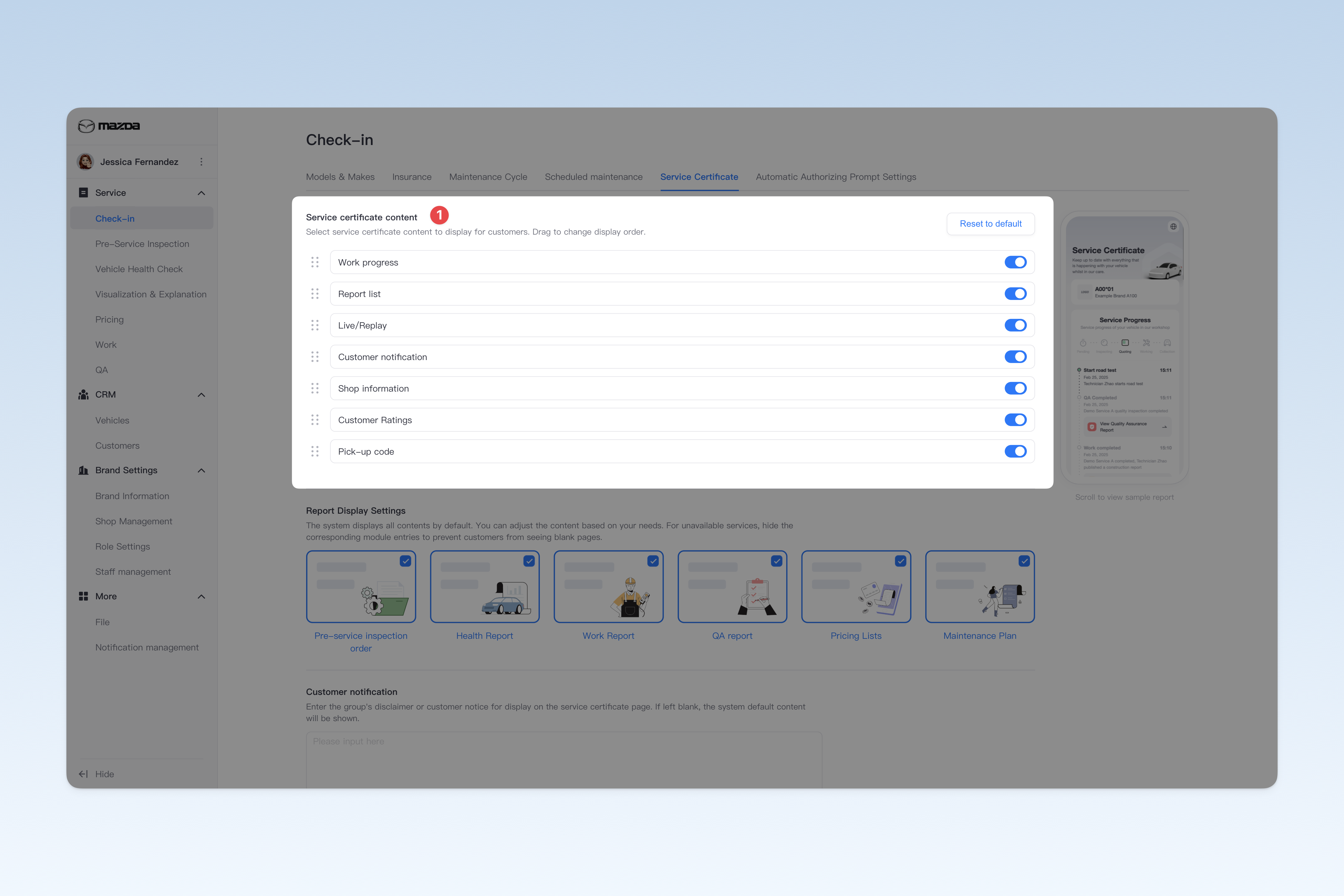
Report Display Content Settings
The Service Certificate integrates entries for pre-service inspection reports, health check reports, pricing lists, work reports, QA reports, and maintenance plans. By default, the system displays all entries to owners. You can flexibly adjust the displayed content based on the group's actual business situation. For services not yet launched, it is recommended to hide the corresponding feature entries to avoid confusion when owners click on unavailable reports and see blank pages.
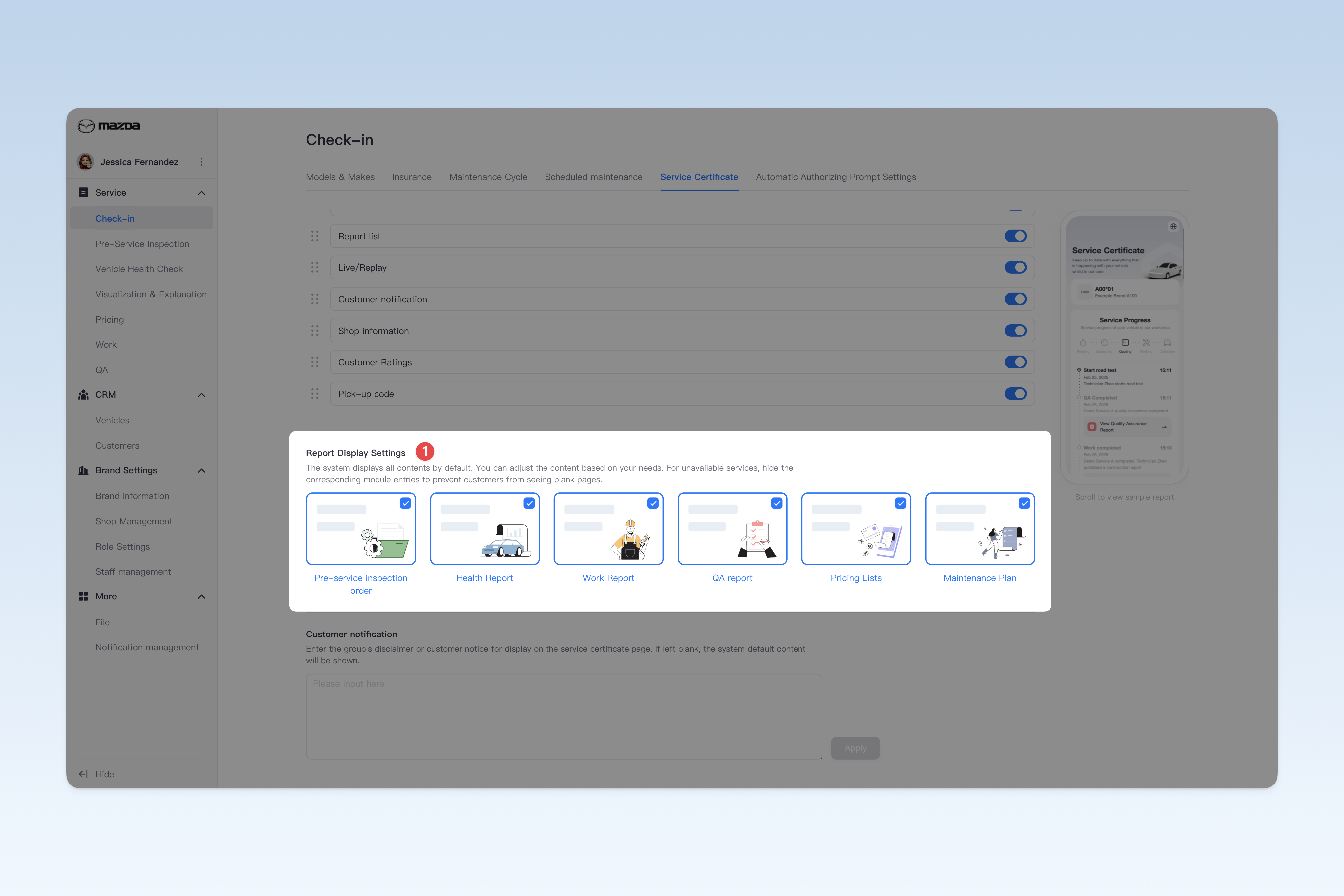
User Notice Content Configuration
You can enter the group's disclaimer agreement or customer notices to be presented to owners on the service certificate page. If left blank, the system default content will be displayed.