◎ Managing Customer Information
The Customer Pool is a centralized customer relationship management module that manages the information of all vehicle owners who have visited any shops under the group. Through this feature, group administrators can have a comprehensive overview of each customer's detailed profile, including basic personal information (name, contact information), user portrait (age group, occupational characteristics), driving habits (driving style, common road conditions, mileage), and vehicle condition information for all vehicles under their name. Based on this rich data, management can analyze customers' consumption behavior and service needs, providing data support for formulating personalized service plans and precise marketing strategies.
⚠️ Note: Please strictly comply with data protection regulations, properly safeguard user privacy information, and strictly prohibit any disclosure to external parties.
📍 You can configure related content in: AutoX3 Brand Management Dashboard > Customer Management > Vehicle Pool.
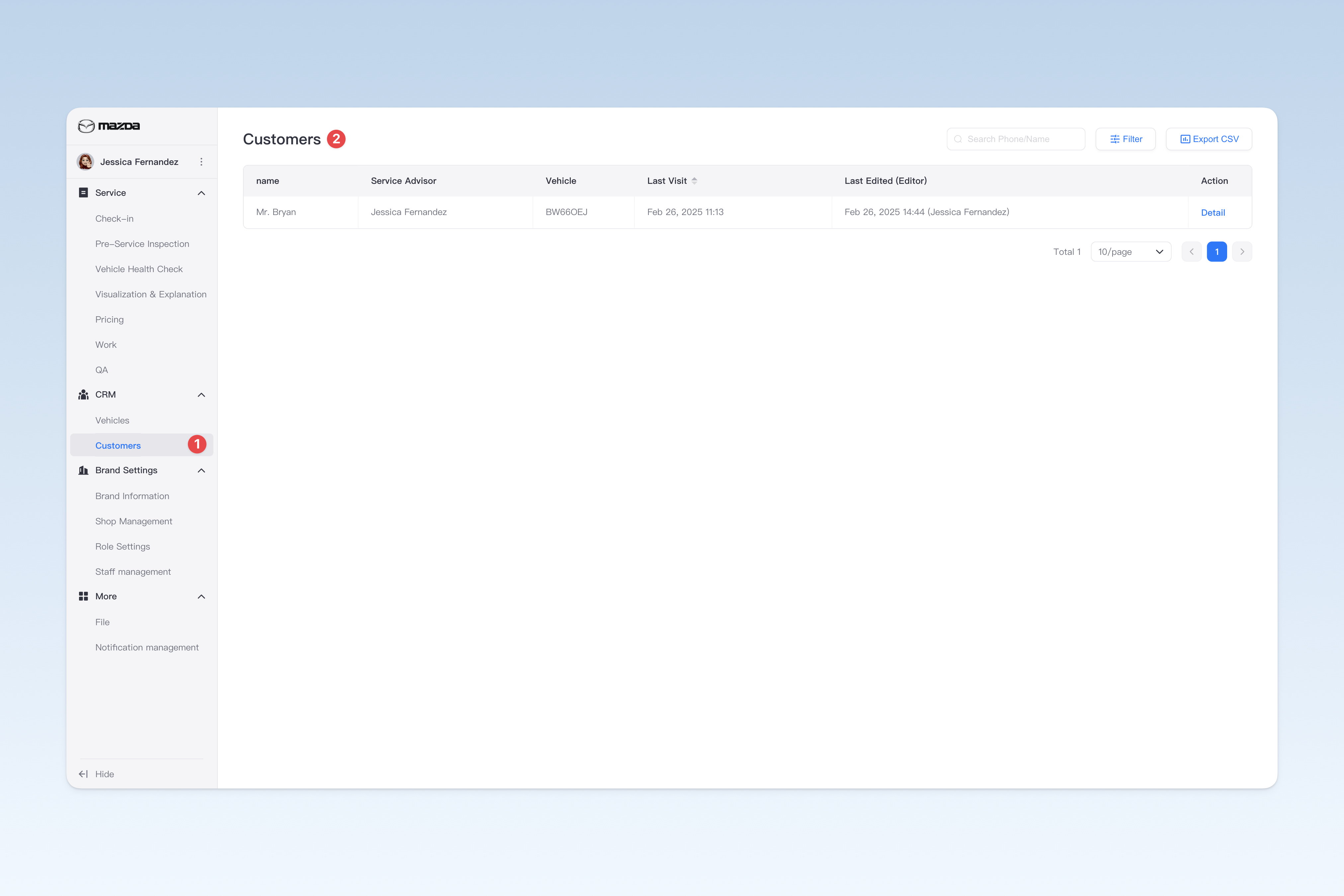
Filtering Customers by Criteria
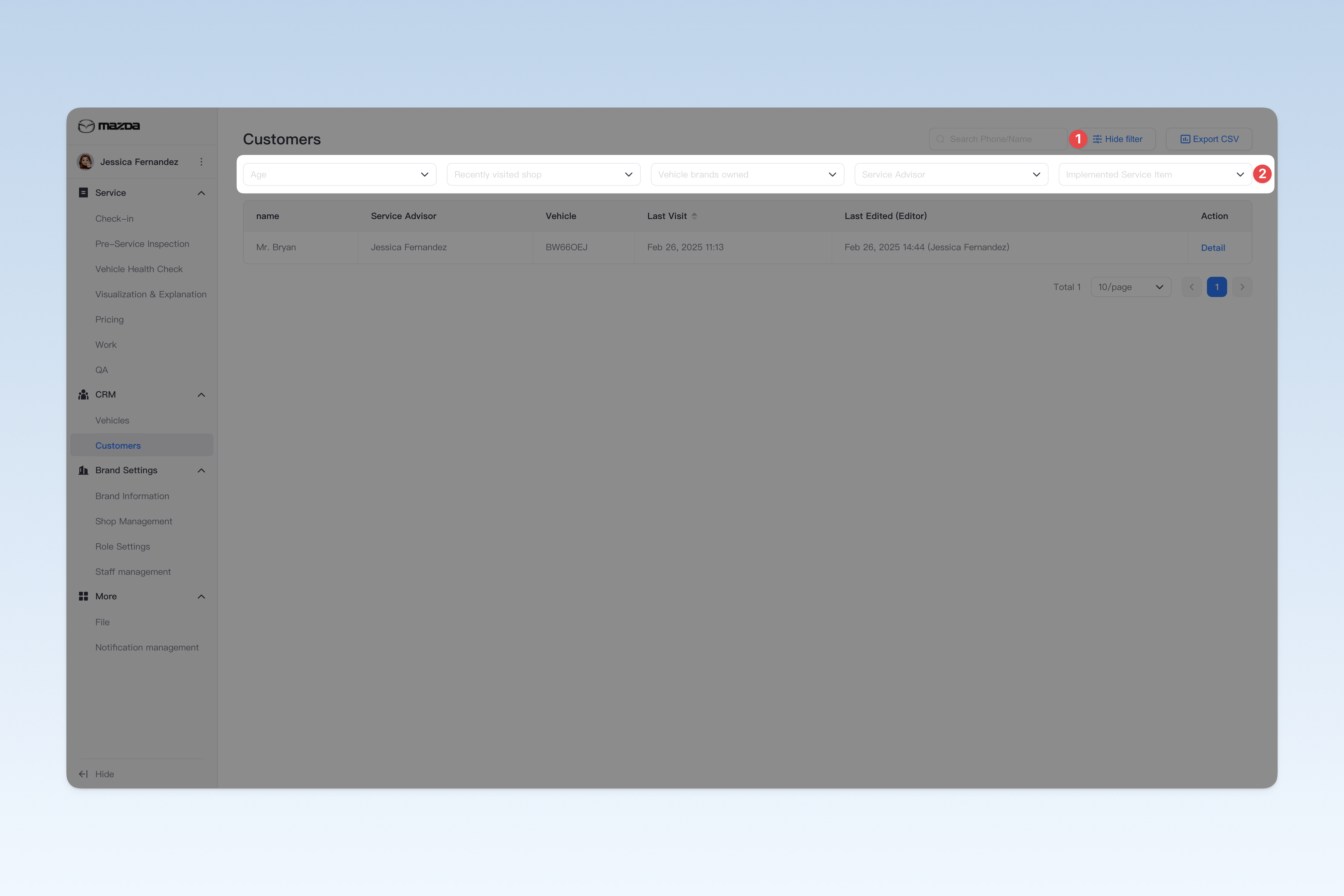
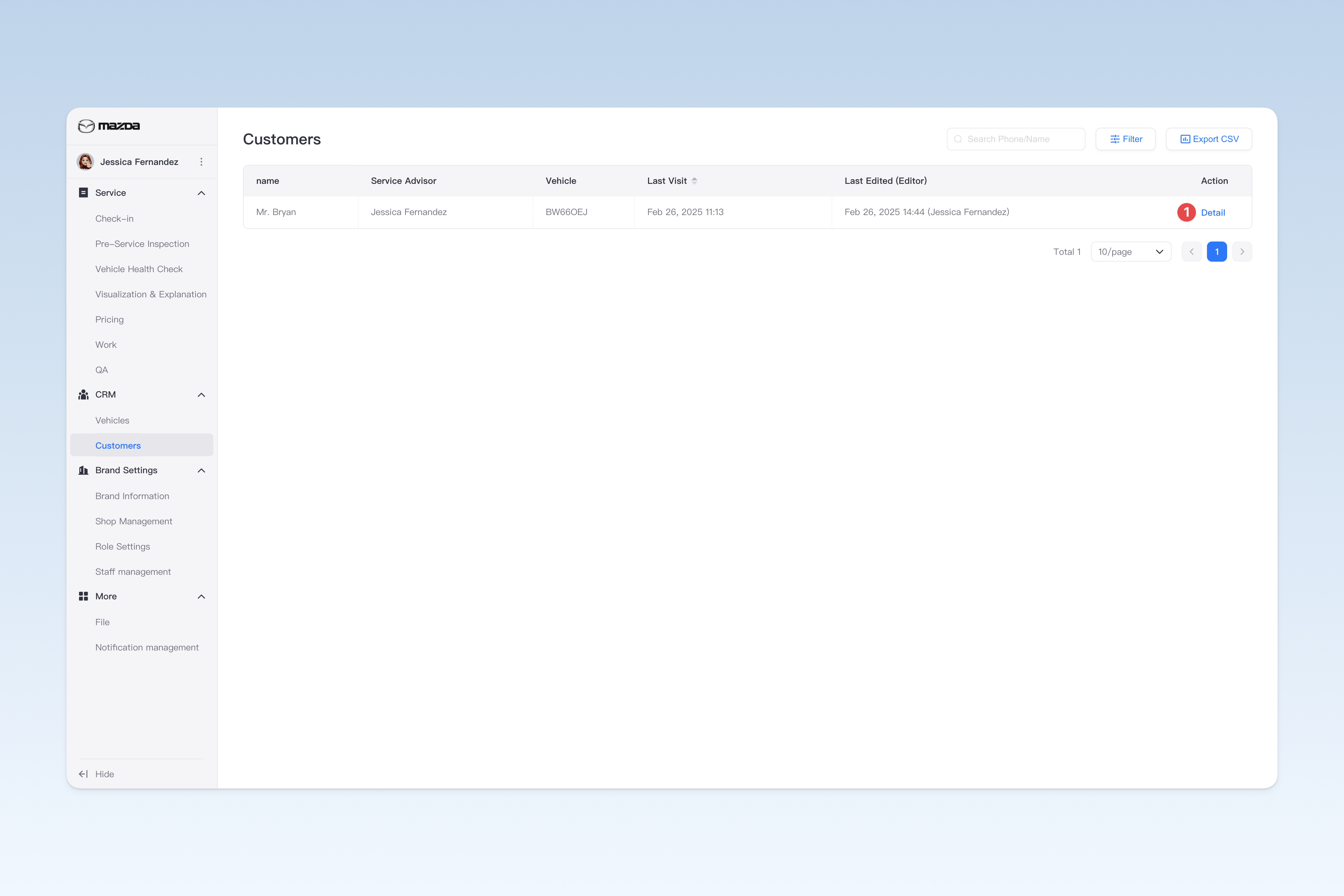
On the "Customer Pool" page, click the 【Filter】 button in the upper right corner to display all available filtering criteria. You can flexibly combine conditions (such as age range, most recently visited shop, etc.) to find target customers based on actual needs.
Additionally, you can directly use the search function by entering the "Customer Phone Number" or "Customer Name" to quickly locate the target customer.
Exporting Customer List as Spreadsheet File
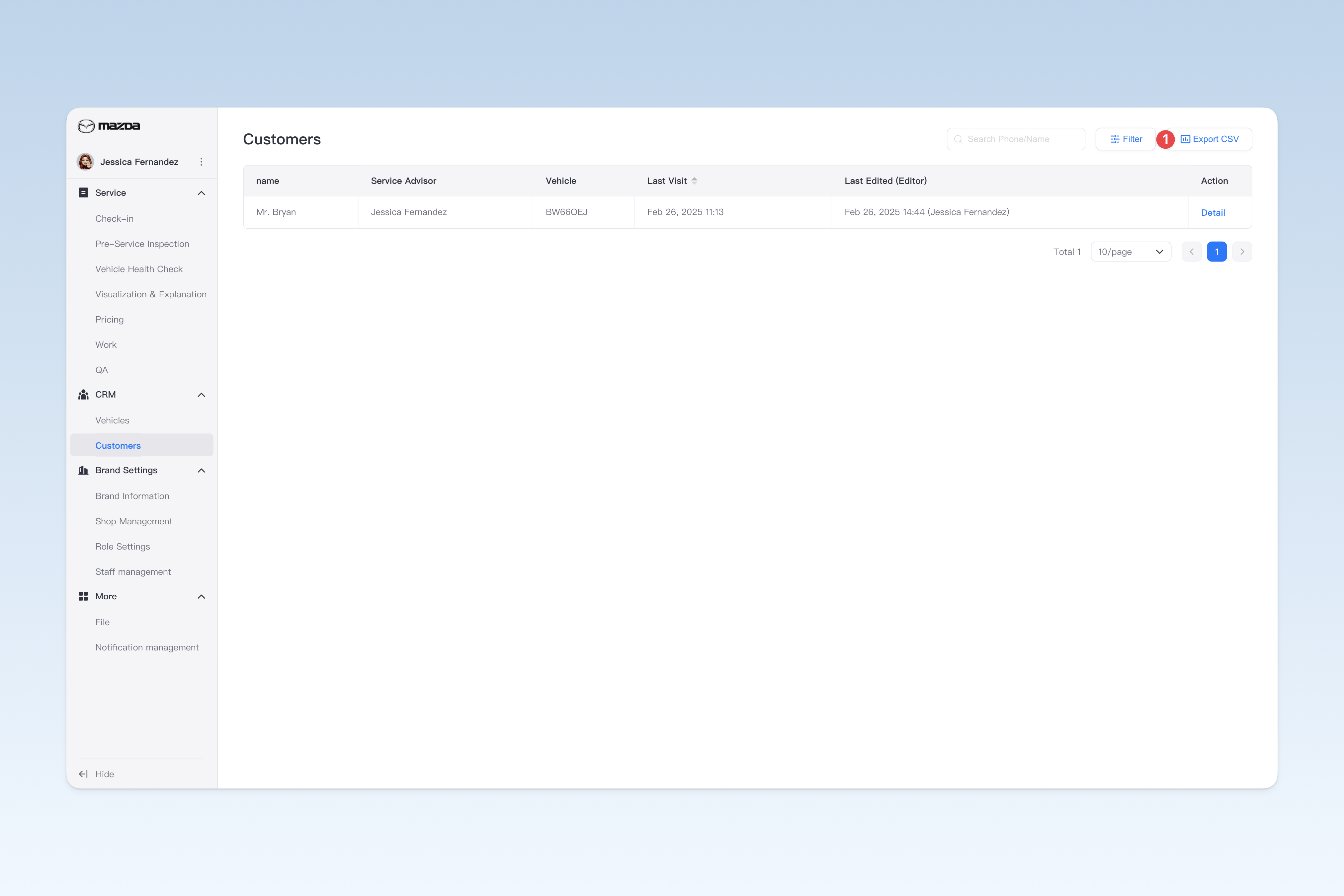
On the "Customer Pool" page, click the 【Export CSV】 button in the upper right corner. After a short wait, the system will automatically create a download task in the browser. Please find the exported spreadsheet file on the browser's download page.
Modifying Customer Basic Information
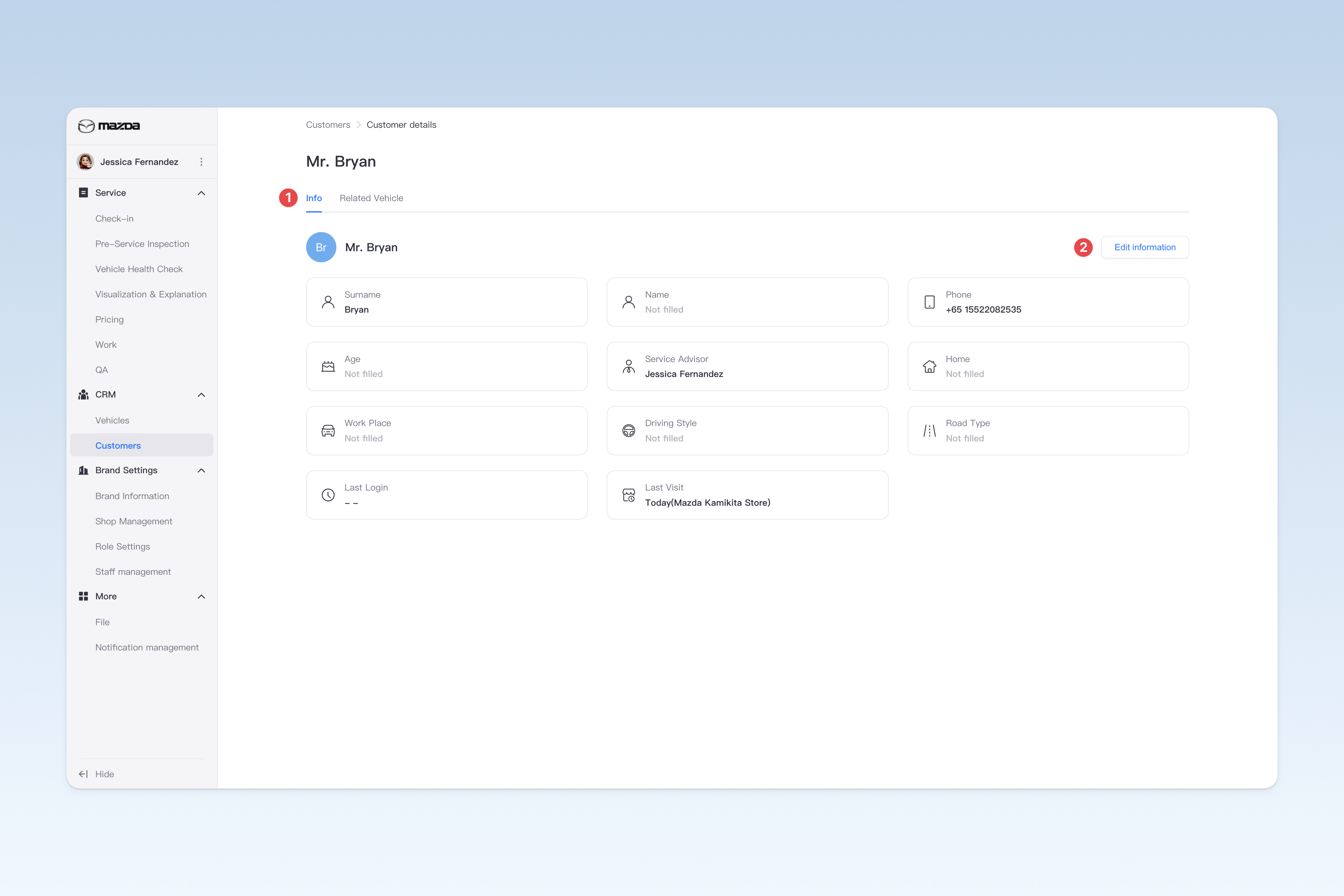
On the "Customer Pool" page, find the corresponding customer and click the 【Detail】 button in the operation column on the right side of the list. In the pop-up "Customer Details" page, click the 【Basic Information】 menu. This page is mainly used to view/modify some basic information about the customer.
To modify customer basic information, click the 【Edit information】 button. In the pop-up "Edit customer information" window, you can modify the following content:
- Customer avatar
- Customer surname (editable)
- Customer first name (editable)
- Phone number (editable)
- Age range (editable)
- Dedicated service advisor (editable)
- Home location (editable)
- Work Place (editable)
- Driving Style (editable)
- Road Type (editable)
- Last Login (time and device)
- Last Visit (time)
⚠️ Note: Before modifying customer information, please communicate and coordinate with the shop to avoid causing unnecessary internal misunderstandings.
Viewing Vehicle Information Under Customer
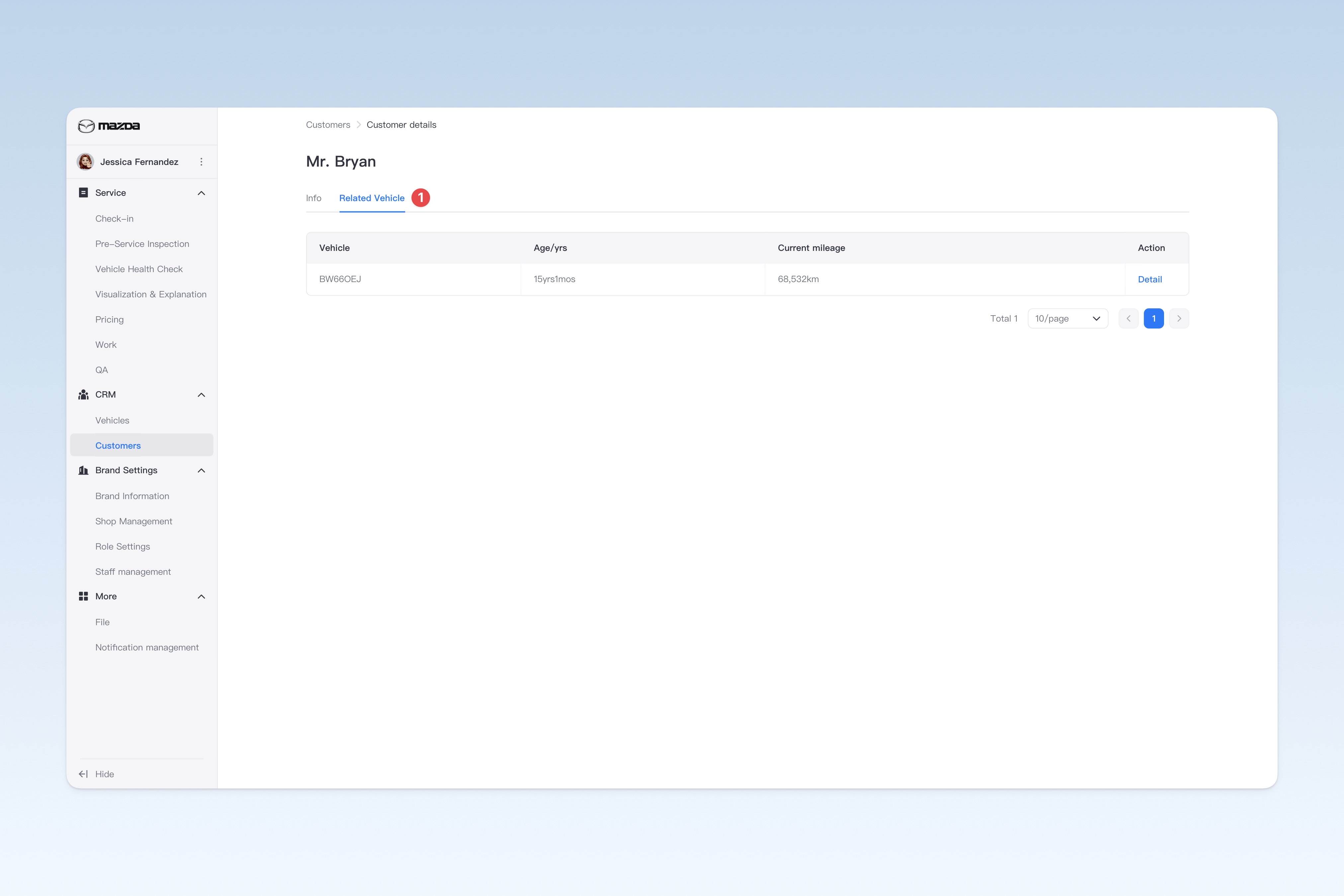
On the "Customer Pool" page, find the corresponding customer and click the 【Detail】 button in the operation column on the right side of the list. In the pop-up "Customer Details" page, click the 【Vehicle Details】 menu to switch to the "Vehicle Details" page. This page is mainly used to view the information of all vehicles bound under the customer's name (a customer can own multiple vehicles at the same time and can view the detailed information of each vehicle).
In the operation column on the right side of the list, click the 【Detail】 button to view the vehicle details of that vehicle.