▣ Pre-Service Inspection Management
Pre-service inspection is usually performed by staff after vehicle check-in, including a preliminary check of the vehicle's instrument status, paint, tires/wheels, inventory, warning lights, and fault descriptions. It is mainly used to record the customer's request and the basic condition of the vehicle. This not only helps the shop understand the initial condition of the vehicle, but also effectively avoids communication errors with the customer and reduces the risk of disputes.
This page allows you to set some preferences for the pre-service inspection. These settings usually have the role of standardizing the process and are therefore mandatory. Non-brand administrators do not have permission to change them.
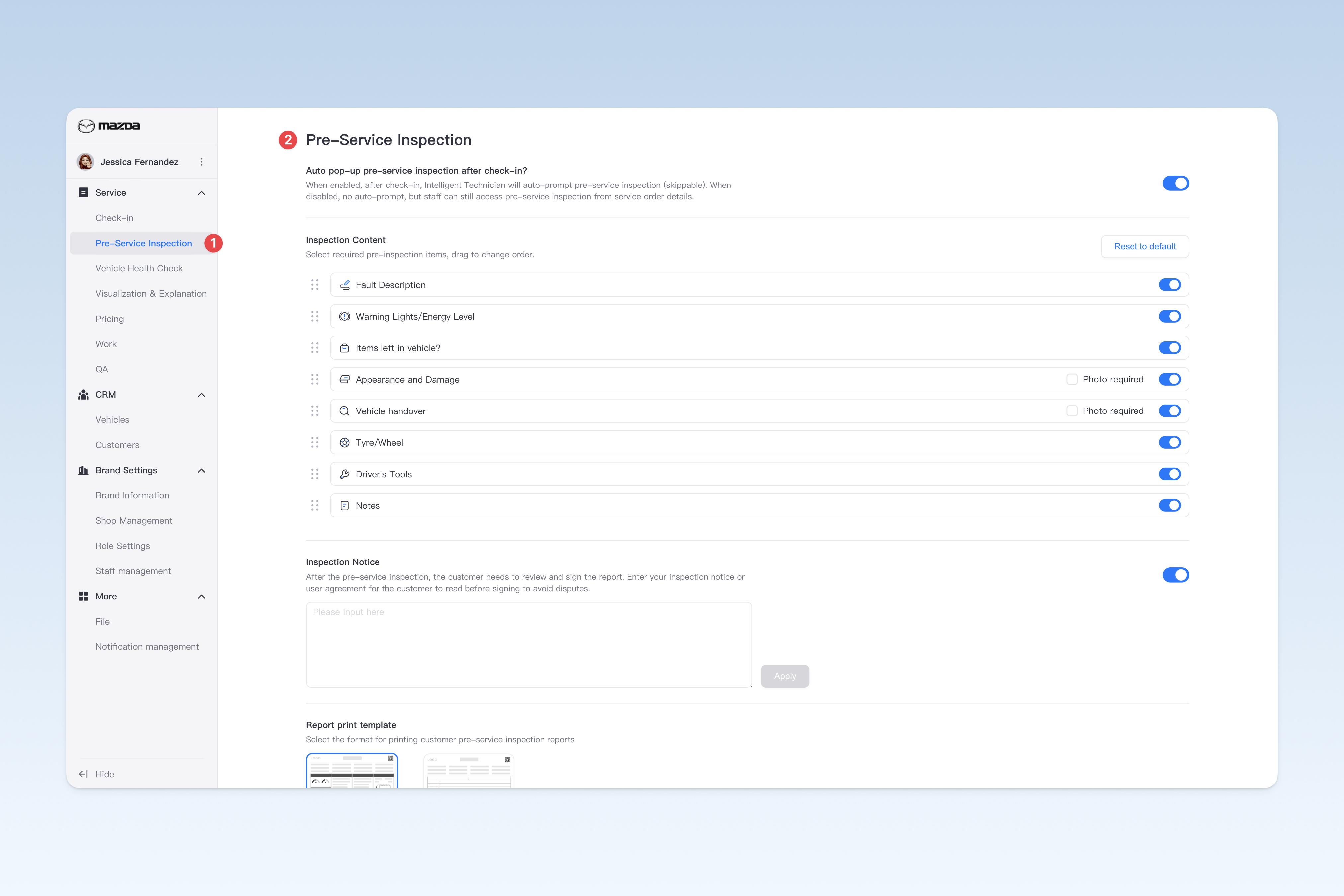
📍 You can configure related content in: AutoX3 Brand Management Dashboard > Service Management > Pre-Service Inspection Management.
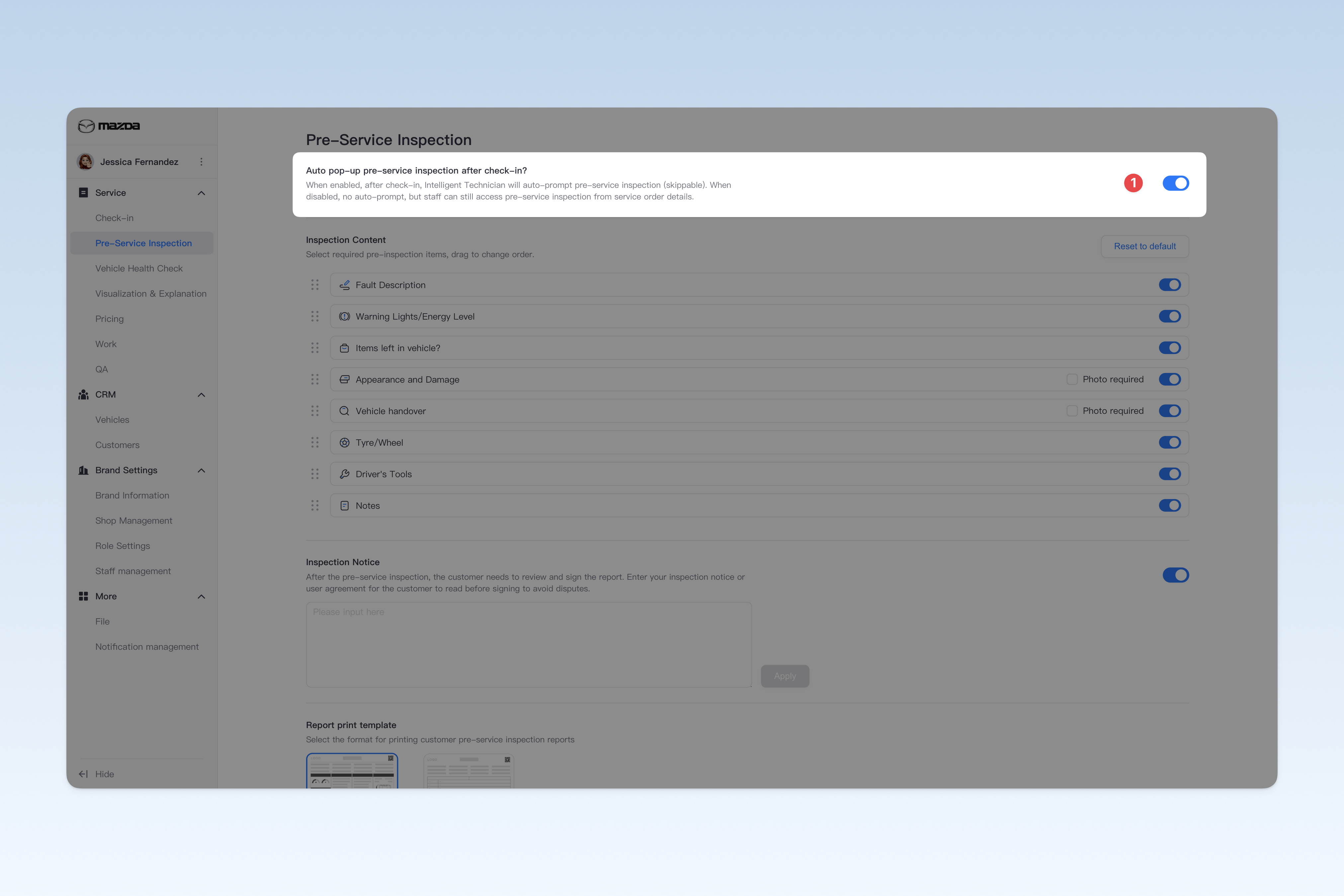
Set Whether to Automatically Pop Up Pre-Service Inspection Page
- Enabled: Every time a technician completes vehicle check-in, the Intelligent Technician APP will automatically pop up the pre-service inspection window to remind staff to perform pre-service inspection (this process can be skipped).
- Disabled: After check-in, the pre-service inspection window will no longer pop up automatically, but staff can still access the pre-service inspection module by going to: Intelligent Technician APP > Work > Inspection and Work, entering the service order details, scrolling down to find the pre-service inspection module, and completing the vehicle pre-service inspection.
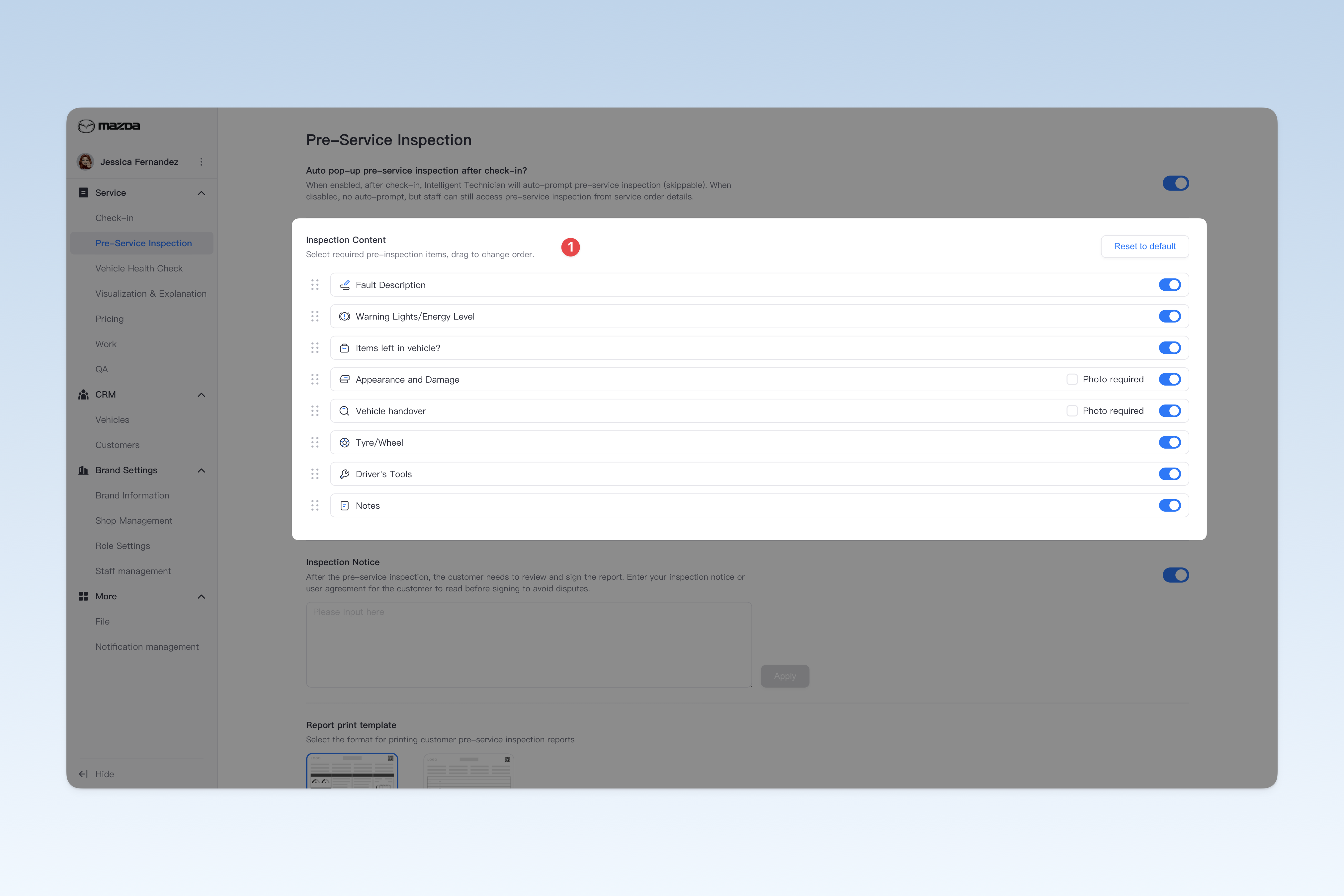
Set Pre-Service Inspection Content
Currently, the pre-service inspection supports recording and modifying the following 9 items: instrument status, valuables, exterior confirmation, basic function check, fault description, tires and wheels, in-car tools, items due for replacement, and remarks.
You can select the items that need to be enabled according to your actual needs, and prioritize these items according to the group's specific workflow.
- Instrument Status: Record whether there are warning lights on the vehicle's instrument panel when it arrives at the shop.
- Valuables: Record information about valuables in the vehicle when it arrives at the shop.
- Exterior Confirmation: Record the condition of the vehicle's paint and glass when it arrives at the shop.
- Basic Function Check: Record whether each component of the vehicle is functioning normally when it arrives at the shop.
- Fault Description: Record obvious faults discovered by staff or fault information described by the customer when the vehicle arrives at the shop.
- Tires and Wheels: Record the condition of the vehicle's tires and wheels when it arrives at the shop.
- In-Car Tools: Record information about the vehicle's common in-car tools when it arrives at the shop.
- Items Due for Replacement: Record service items that are due for replacement when the vehicle arrives at the shop.
- Remarks: Used for staff to make notes about the pre-service inspection process.
You can set whether staff must upload photos for record-keeping during the "Exterior Confirmation" and "Basic Function Check" tasks.
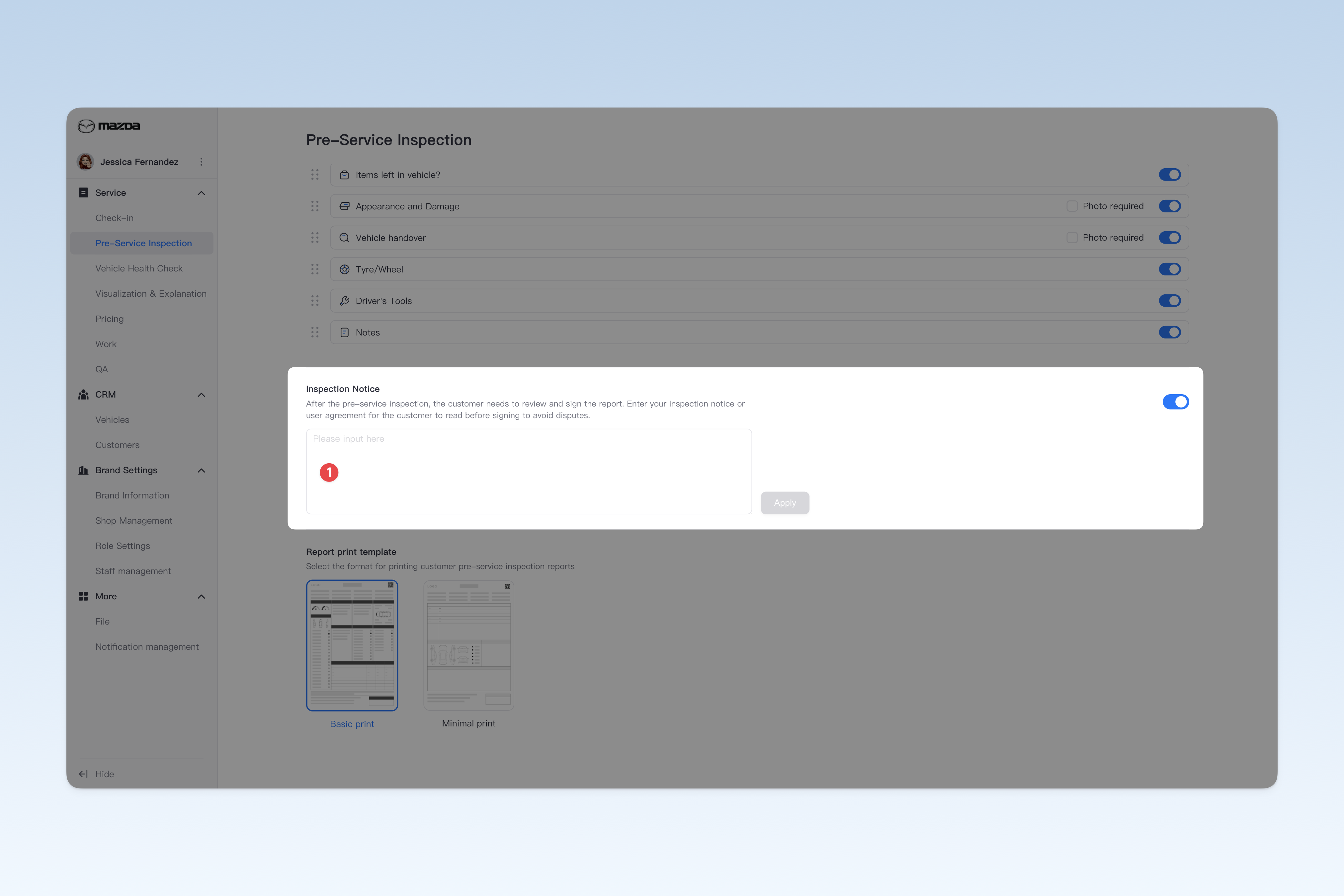
Set Pre-Service Inspection Notice
After the pre-service inspection is completed, the customer needs to review the pre-service inspection report and sign to confirm. Therefore, you need to enter the group's risk notice or user agreement for the customer to read before signing, to avoid unnecessary disputes.
⚠️ Tip: If you do not fill in the pre-service inspection notice, the system's preset terms will be displayed when the customer signs.
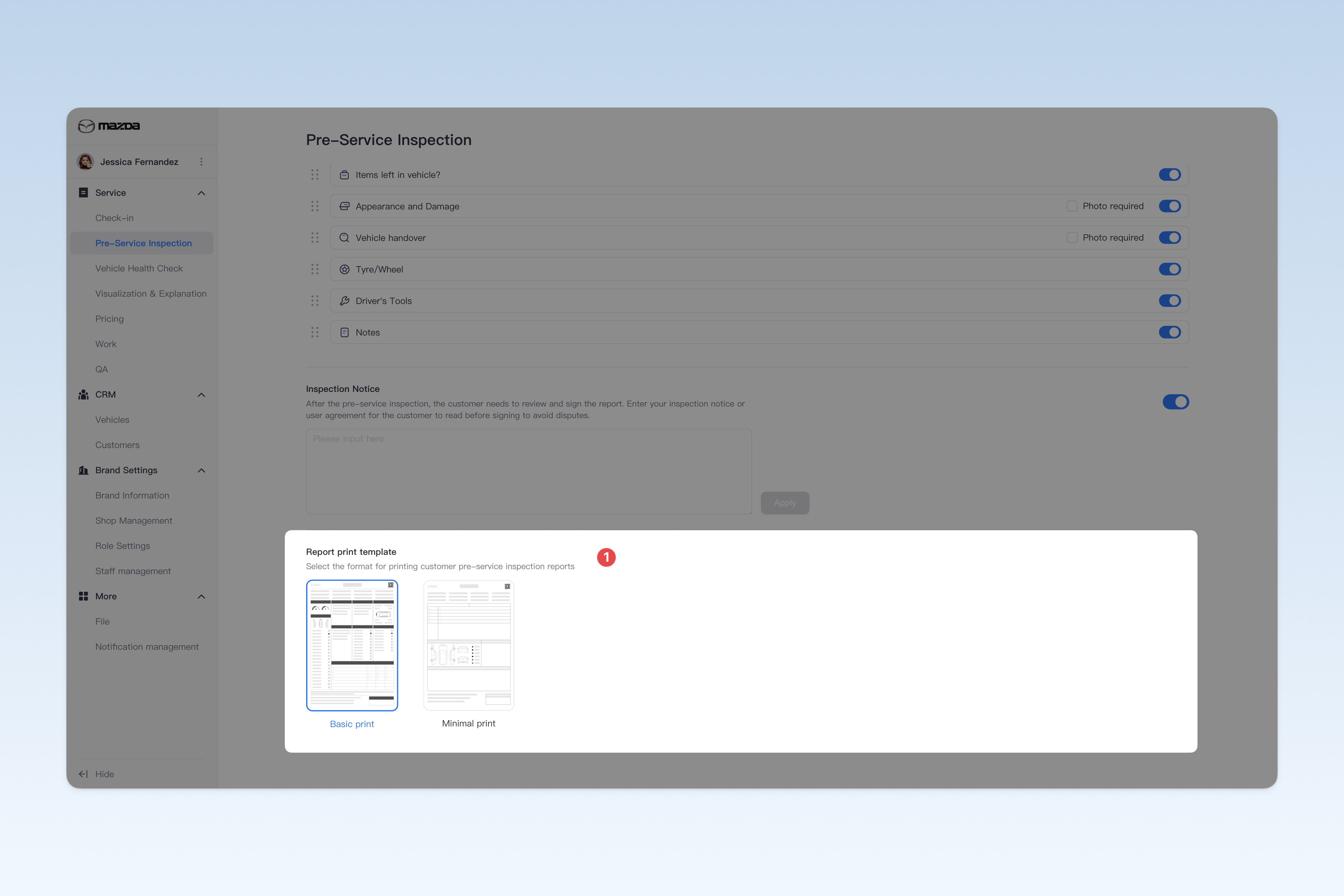
Set Print Style for Paper Pre-Service Inspection Report
The pre-service inspection report supports paper printing and PDF format export for sharing. Therefore, you can customize the theme style of the paper report and flexibly set the presentation form of the report.