◎ Intelligent Hub Work Report Settings
This page is used to configure the display and settings of work report related functions in the Intelligent Hub app.
📍 You can configure related content in: AutoX3 Brand Management Dashboard > Service Management > Visualization & Explanation > Intelligent Hub Work Report.
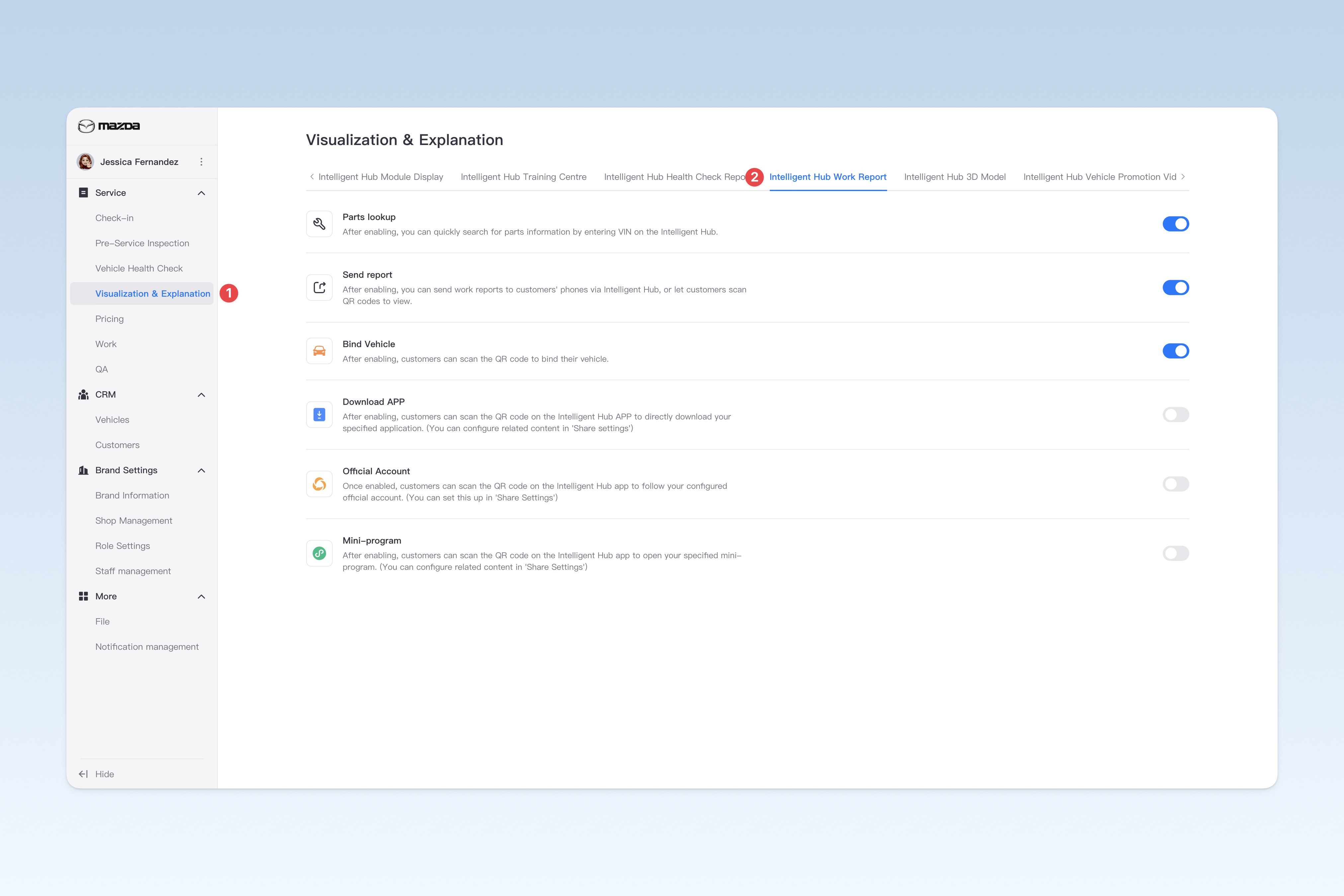
Parts lookup
On the health check report or work report page of the Intelligent Hub app, click the "Parts lookup" button and enter the VIN to quickly check the vehicle's part information (only available in mainland China).
Send report
After entering the customer's "phone number" or "email", you can send the current work report to the customer.
Bind Vehicle
Customers can scan the QR code for authentication. Once authenticated, the customer information can be bound to their license plate number (only applicable in the UK).
Download APP
Customers can scan the QR code on the Intelligent Hub app to directly download your specified application. (You can configure related content in the "Share Settings" menu)
Official Account
Customers can scan the QR code on the Intelligent Hub app to follow your configured official account. (You can configure related content in the "Share Settings" menu)
Mini-program
Customers can scan the QR code on the Intelligent Hub app to open your specified mini-program. (You can configure related content in the "Share Settings" menu)