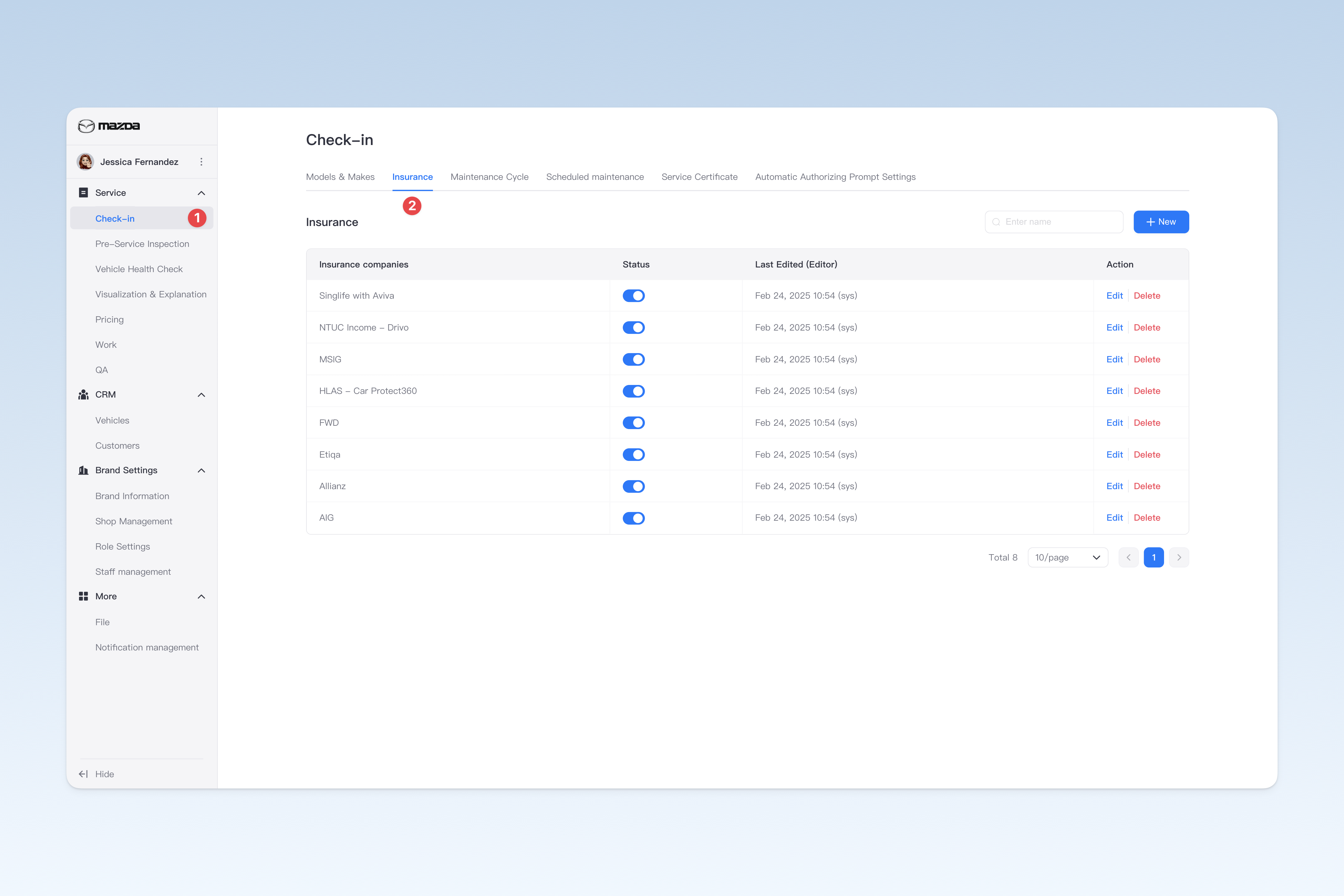
◎ Insurance Brand Management
The insurance brands mainly provide brand data for customers' vehicle insurance information. The system presets common auto insurance brands for each country/region by default. If the preset insurance brands are missing brands within your business scope, you can create them according to your needs.
📍 You can configure related content in: AutoX3 Brand Management Dashboard > Service > Check-in Vehicle > Insurance Brands.
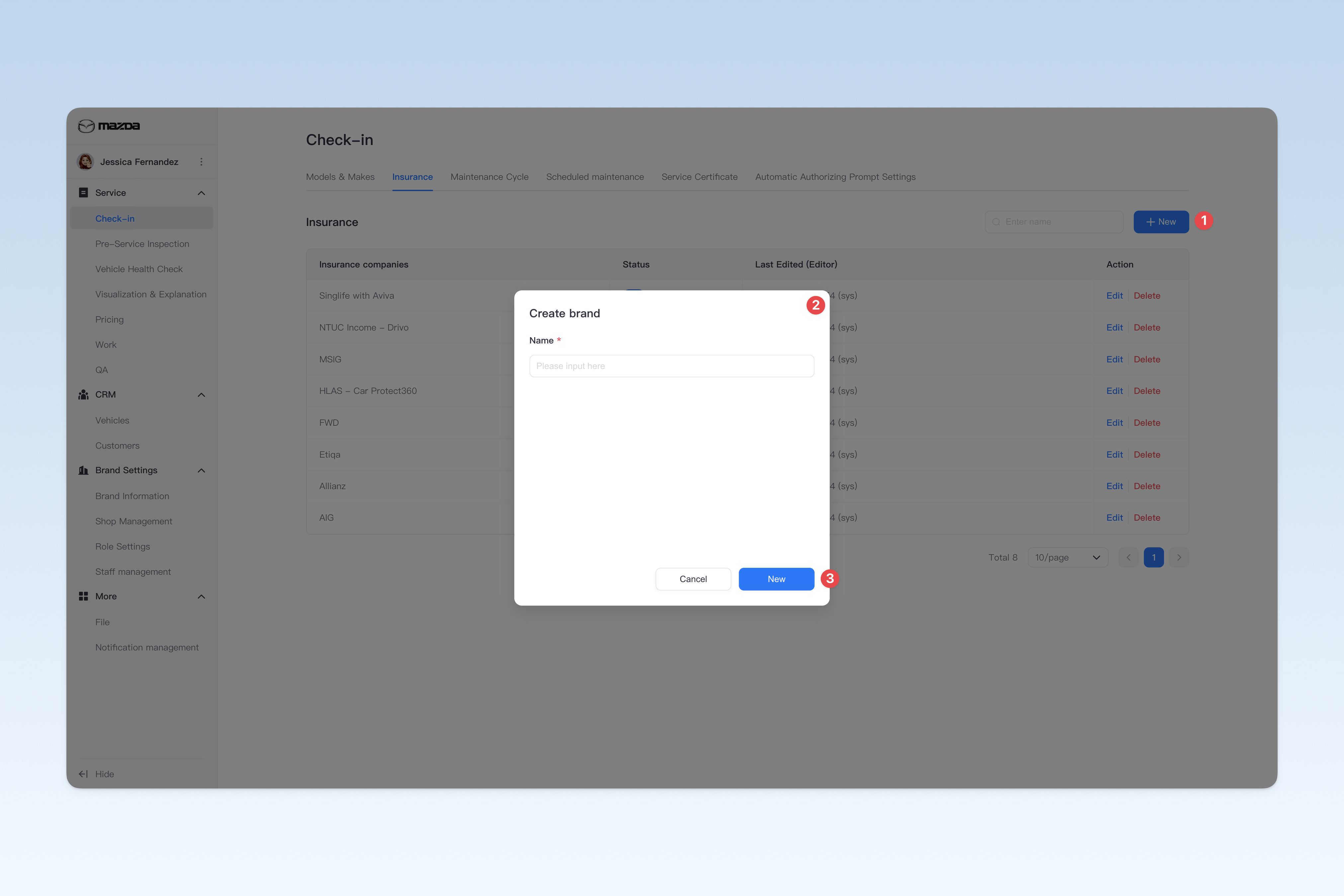
Create Insurance Brand
On the "Insurance Brands" page, click the 【Create】 button to open the "Create Insurance Brand" pop-up window.
In the pop-up window, you need to enter the brand name. After completing, click the 【Create】 button to finish creating.
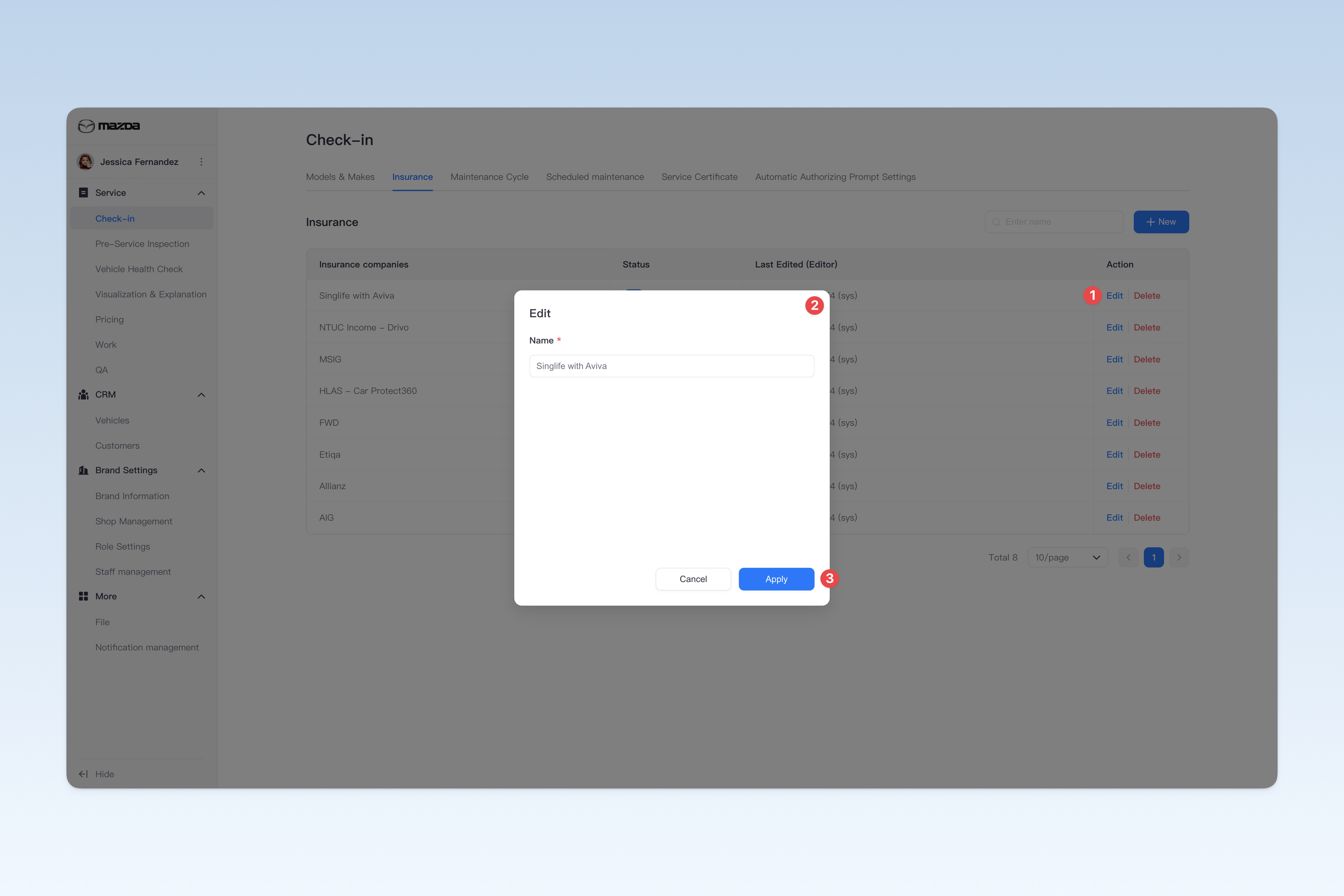
Modify Insurance Brand Name
On the "Insurance Brands" page, find the brand you need to modify, click the 【Edit】 button on the right side of the list, and modify the brand name in the pop-up "Edit Insurance Brand" window.
Enable/Disable Insurance Brand
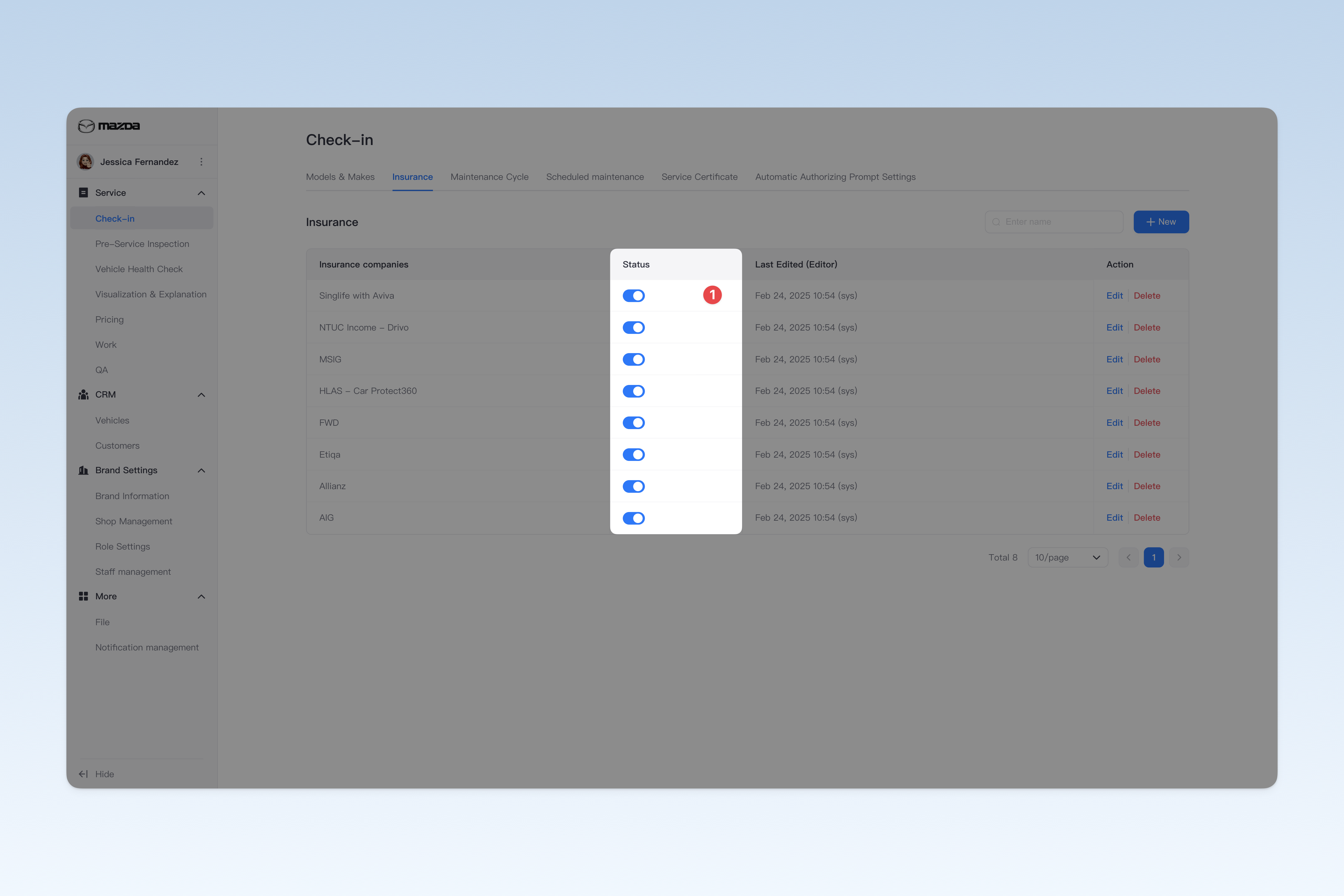
On the "Insurance Brands" page, find the "Enabled Status" in the list, click the 【On/Off】 button to "Enable" or "Disable" any insurance brand.
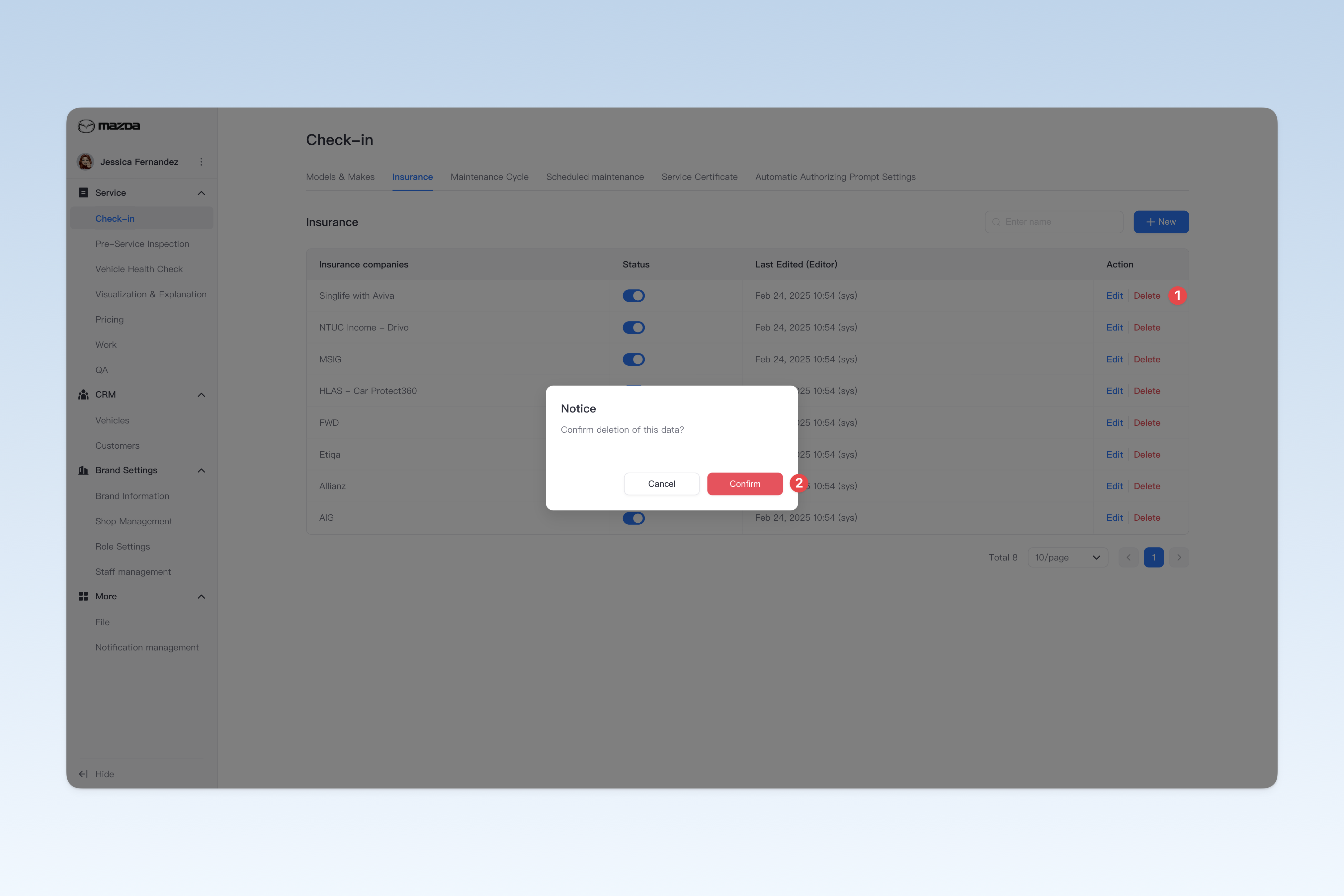
Delete Insurance Brand
On the "Insurance Brands" page, find the insurance brand you want to delete, click the 【Delete】 button on the right side of the list, a confirmation pop-up window will appear, click 【Confirm】 to delete.