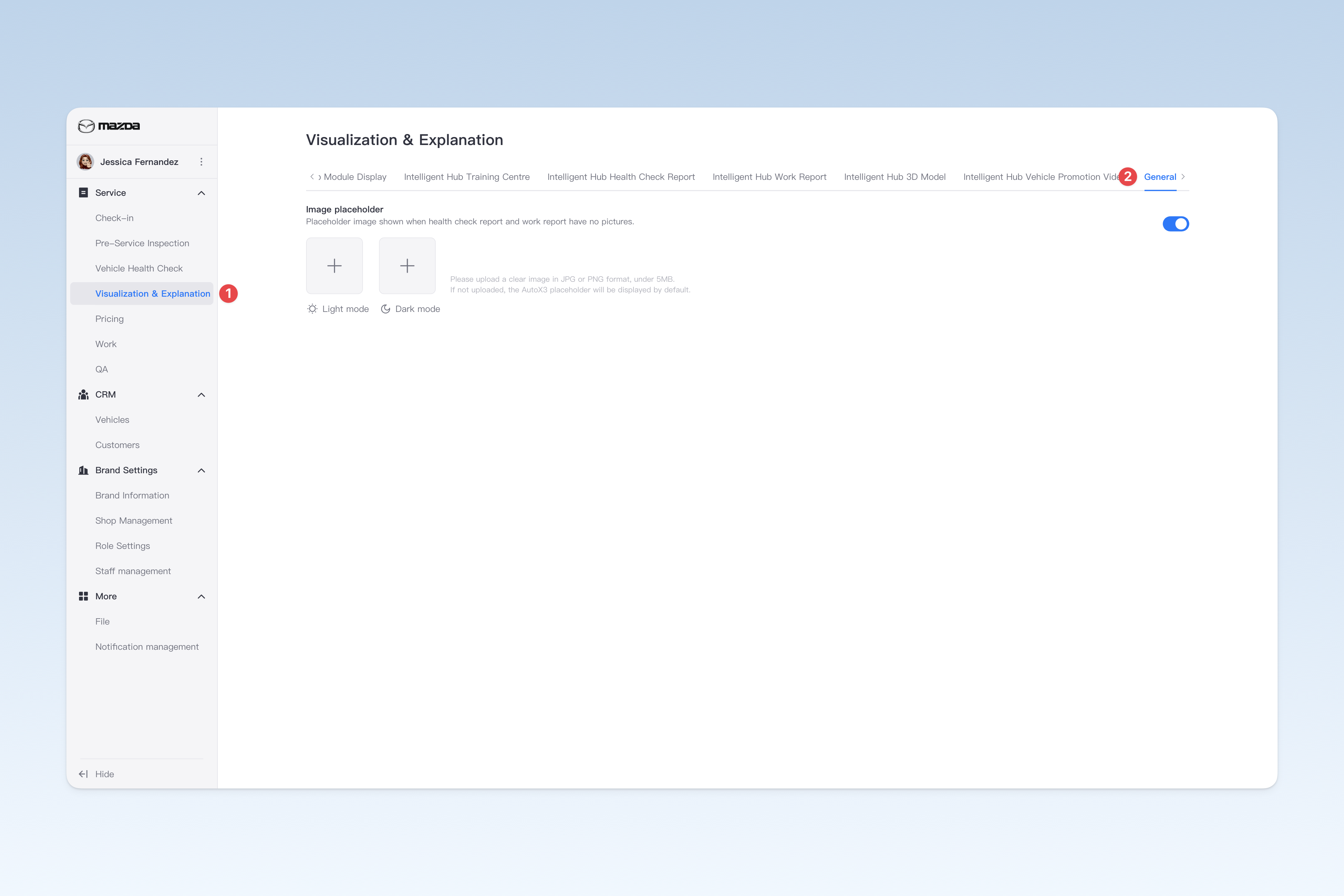
◎ Intelligent Hub Default Image Settings
You can upload an image (such as a company logo) as the default placeholder for health check and work reports in the Intelligent Hub app. When technicians don't take photos during inspections or work, the system will automatically display this image to enhance brand recognition and professional image.
In AutoX3's series of products, some products support switching to dark mode for a more comfortable reading experience at night.
⚠️ Note: If your uploaded image contains black elements, it may blend with the dark background in dark mode, affecting readability. To address this, AutoX3 provides an option to upload dark mode-specific images. It's recommended to upload images adapted by designers to ensure clear and easily recognisable display in dark mode.
You can configure related content in: AutoX3 Brand Management Backend > Service Management > Explanation Management > General.