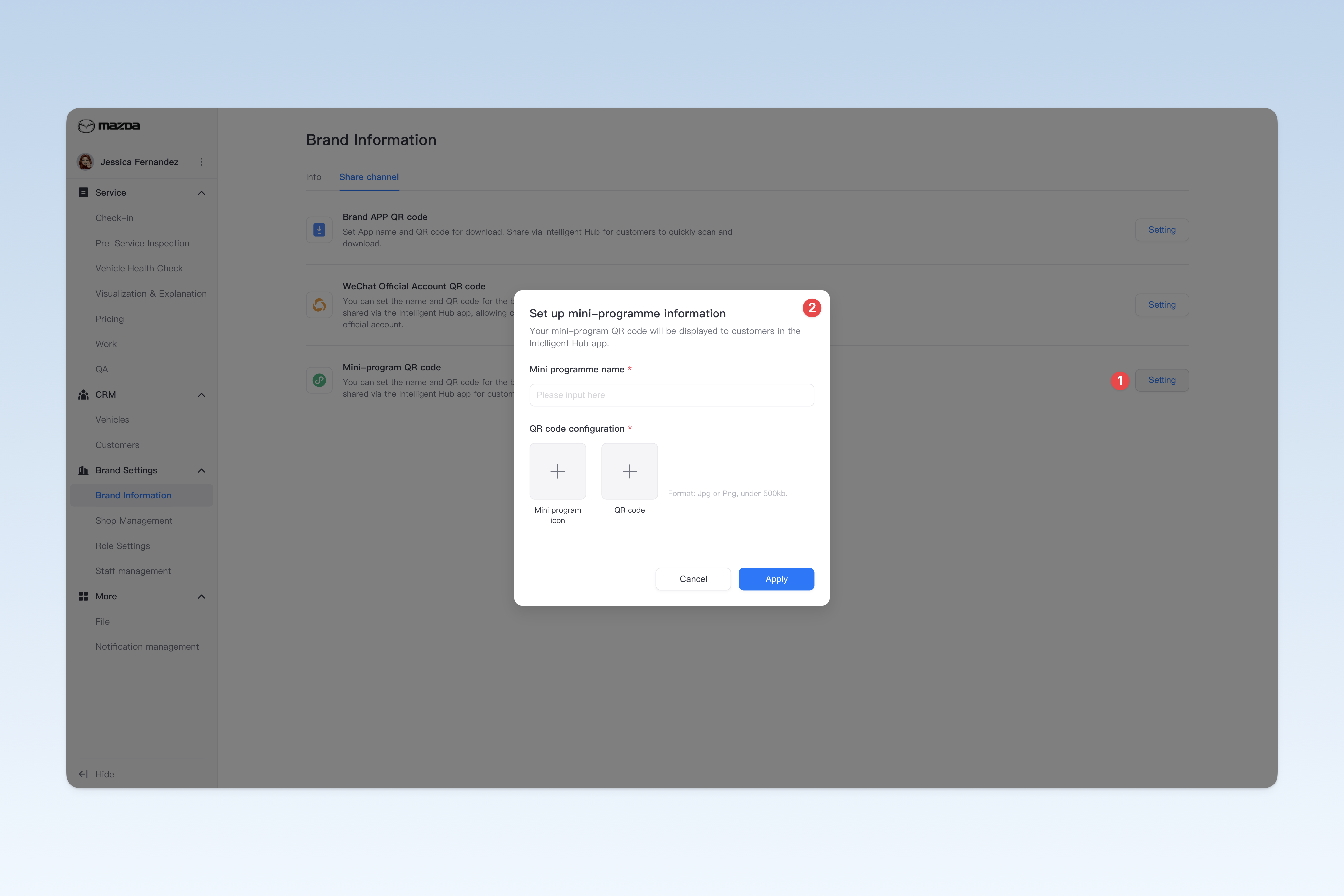
Configuring Brand Sharing Content
This page is used to configure the group's app download QR code, WeChat official account QR code, and mini-program QR code. These QR codes will be displayed in the Intelligent Hub app for customers to scan, follow, or share. If your group hasn't developed a mobile app or set up a WeChat official account and mini-program, you can skip this configuration for now and add it later as needed.
📍 You can configure related content in: AutoX3 Brand Management Dashboard > Brand Management > Brand Information > Share Channel.
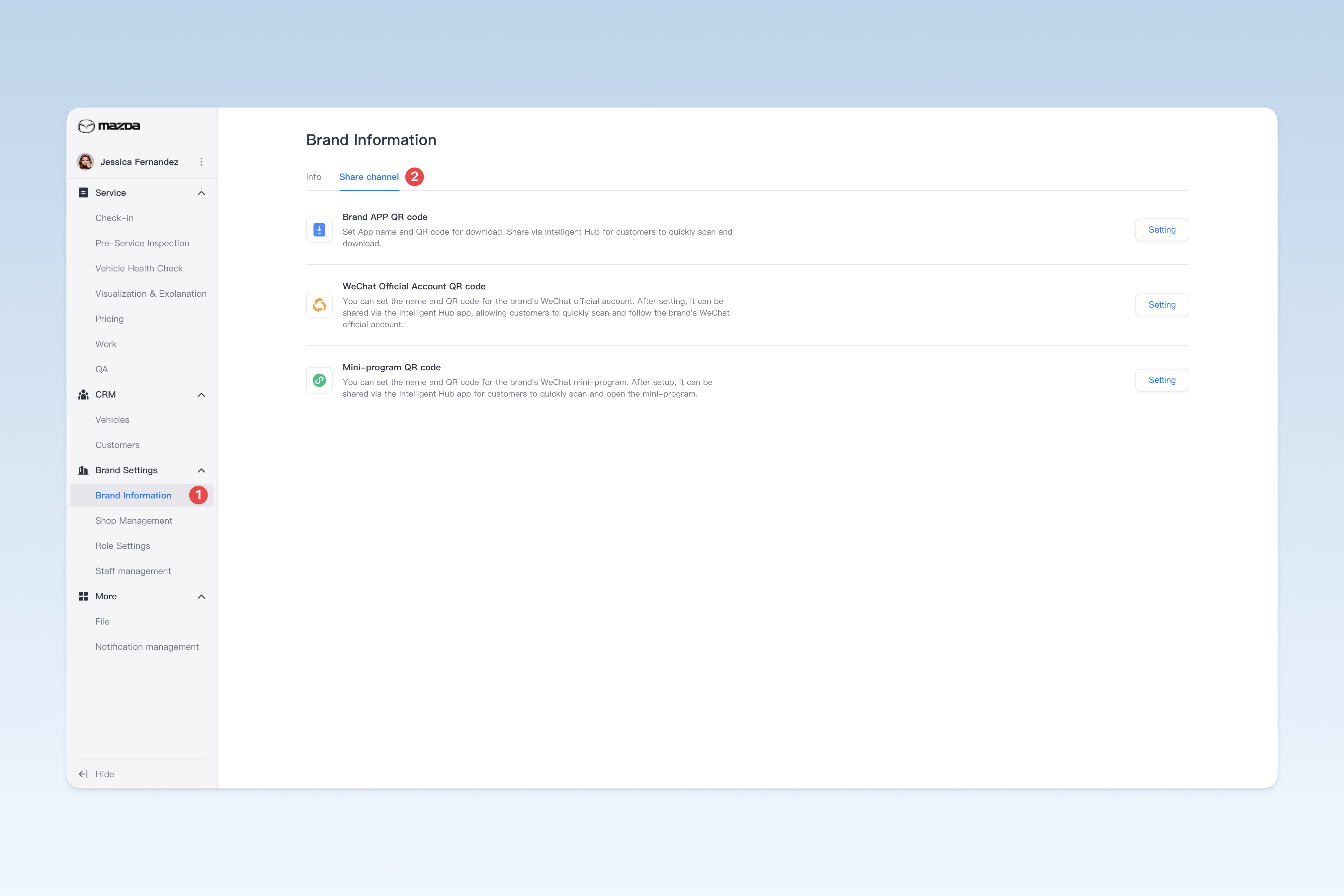
Setting Up App QR Code
On the "Share Channel" page, click the [Set]/[Edit] button to the right of "Brand APP QR Code". In the pop-up "Set APP Information" window, you can modify the following:
- APP Name: The name of the group's app
- APP Icon: The logo of the group's app
- Android QR Code: The download QR code for the group's Android app
- IOS QR Code: The download QR code for the group's iOS app
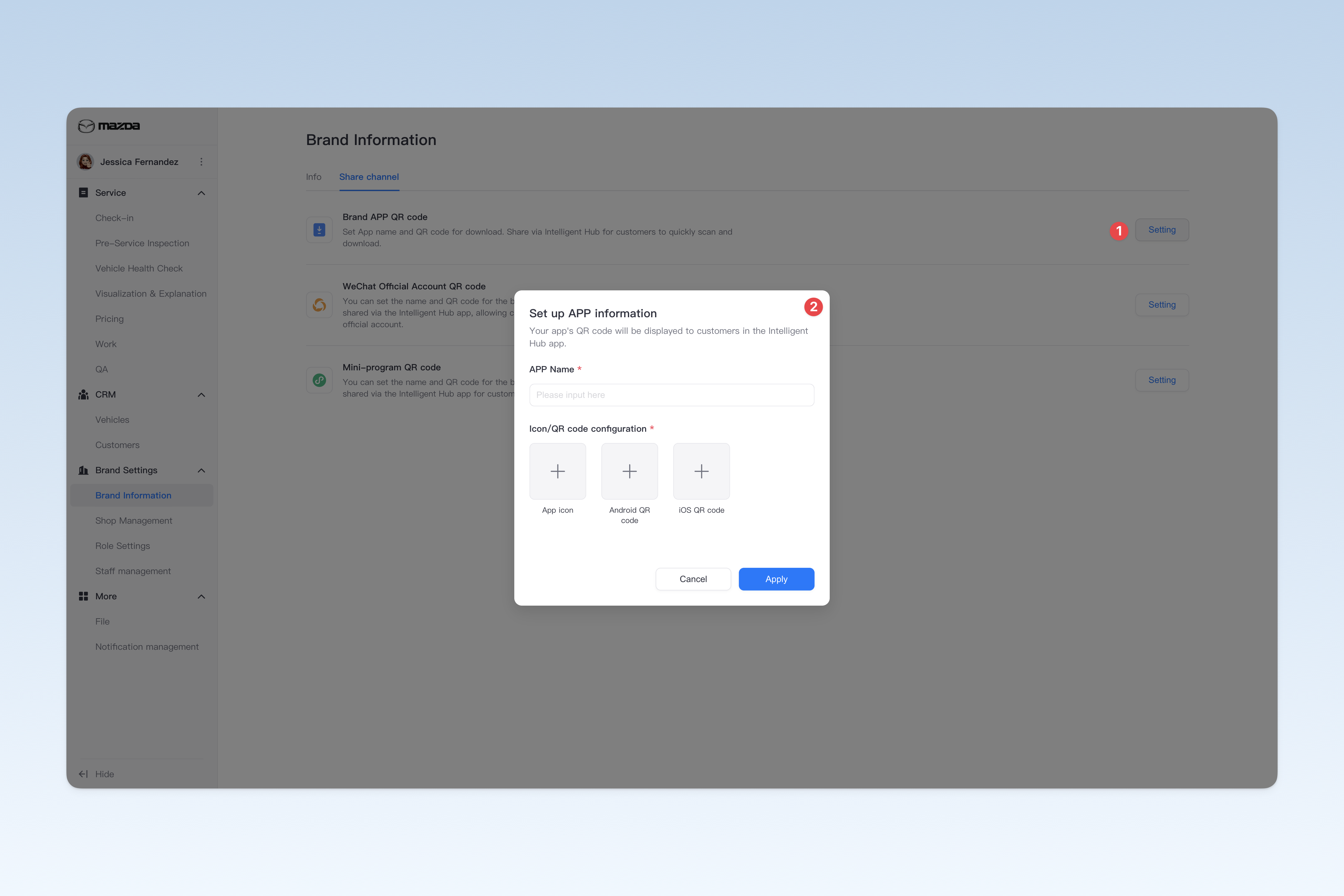
Setting Up Official Account QR Code
On the "Share Channel" page, click the [Set]/[Edit] button to the right of "Brand Official Account QR Code". In the pop-up "Set Official Account Information" window, you can modify the following:
- Official Account Name: The name of the group's official WeChat account
- Official Account Icon: The avatar of the WeChat official account (usually the group's logo)
- QR Code: The sharing QR code for the WeChat official account
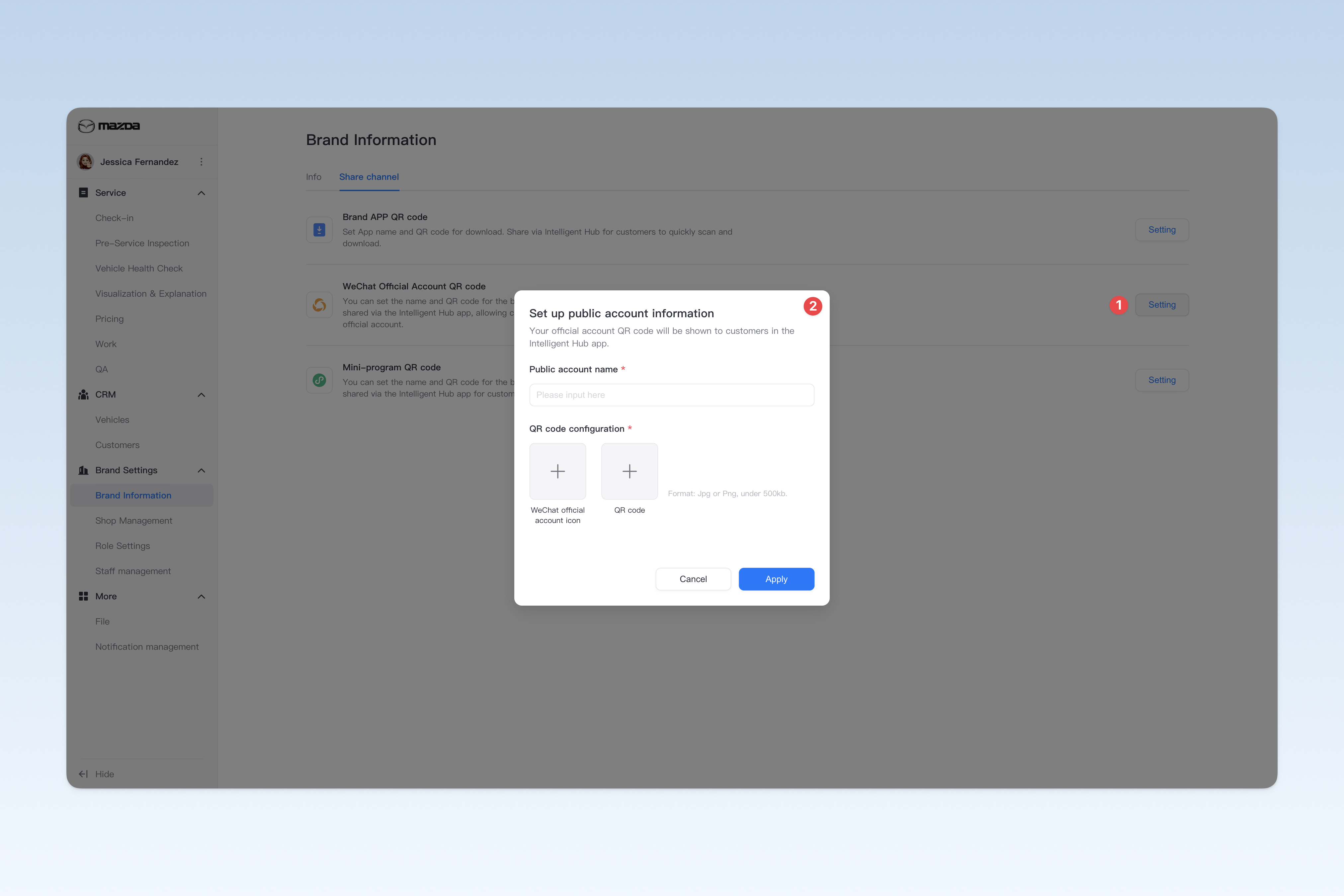
Setting Up Mini-Program QR Code
On the "Share Channel" page, click the [Set]/[Edit] button to the right of "Brand Mini-Program QR Code". In the pop-up "Set Mini-Program Information" window, you can modify the following:
- Mini-Program Name: The name of the group's official WeChat mini-program
- Mini-Program Icon: The logo of the WeChat mini-program
- QR Code: The sharing QR code for the WeChat mini-program